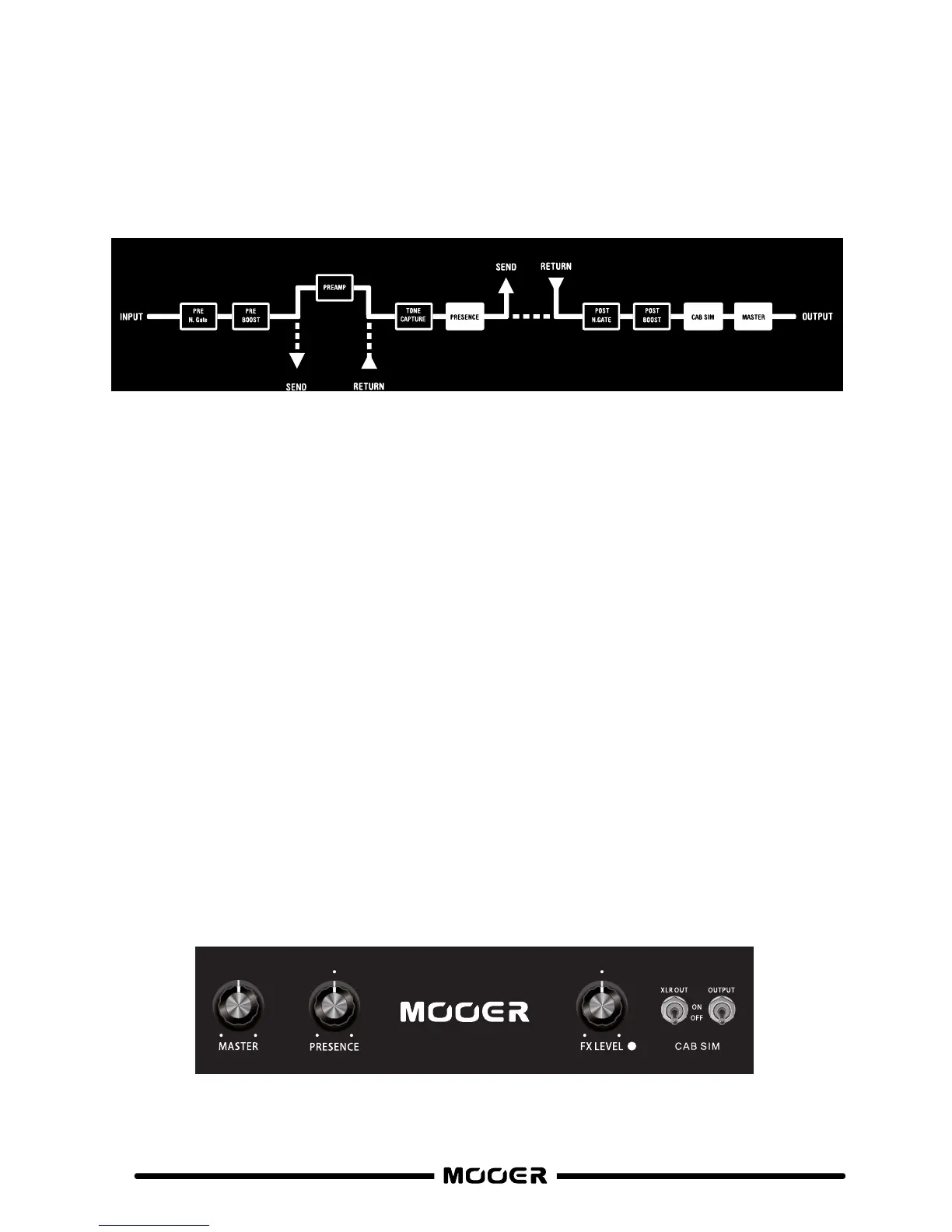
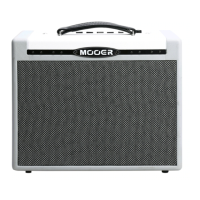
Master Controls
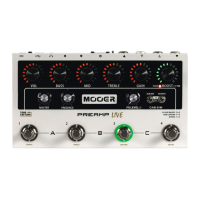
All of the master controls are global settings which are independent from the PREAMP channels
and remain fixed during operation unless adjusted. This provides an easy way to incorporate
PREAMP LIVE into various different setups without having to adjust the channel settings
you’ve saved.
Each preamp channel can have it’s own cab sim assigned from a list within the
official software. You can also import your own IR files to replace some of the
default cab sims.
7
A/ B
Adjusts the overall brightness of PREAMP LIVE.
This is great for compensating for the difference between dark and
bright power amps when using PREAMP LIVE in different venues.
PRESENCE-
Adjusts the overall output volume of PREAMP LIVE
MASTER-
Setup the send level of the effects loop and leave it in place.
This allows easy integration of external effects units or even external
preamps with the programmable effects loop.
More on that in the FX LOOP section of this manual…..
FX LEVEL-
Independently toggle speaker cabinet simulation on/off for the different
outputs of PREAMP LIVE.
This makes connecting one output to your on-stage backline (no cab sim)
and one output direct to the PA (with cab sim) very easy.
CAB SIM-
FX LOOP
MOOE B
Se rial
FX LOOP
MOOE A


 To Next Page