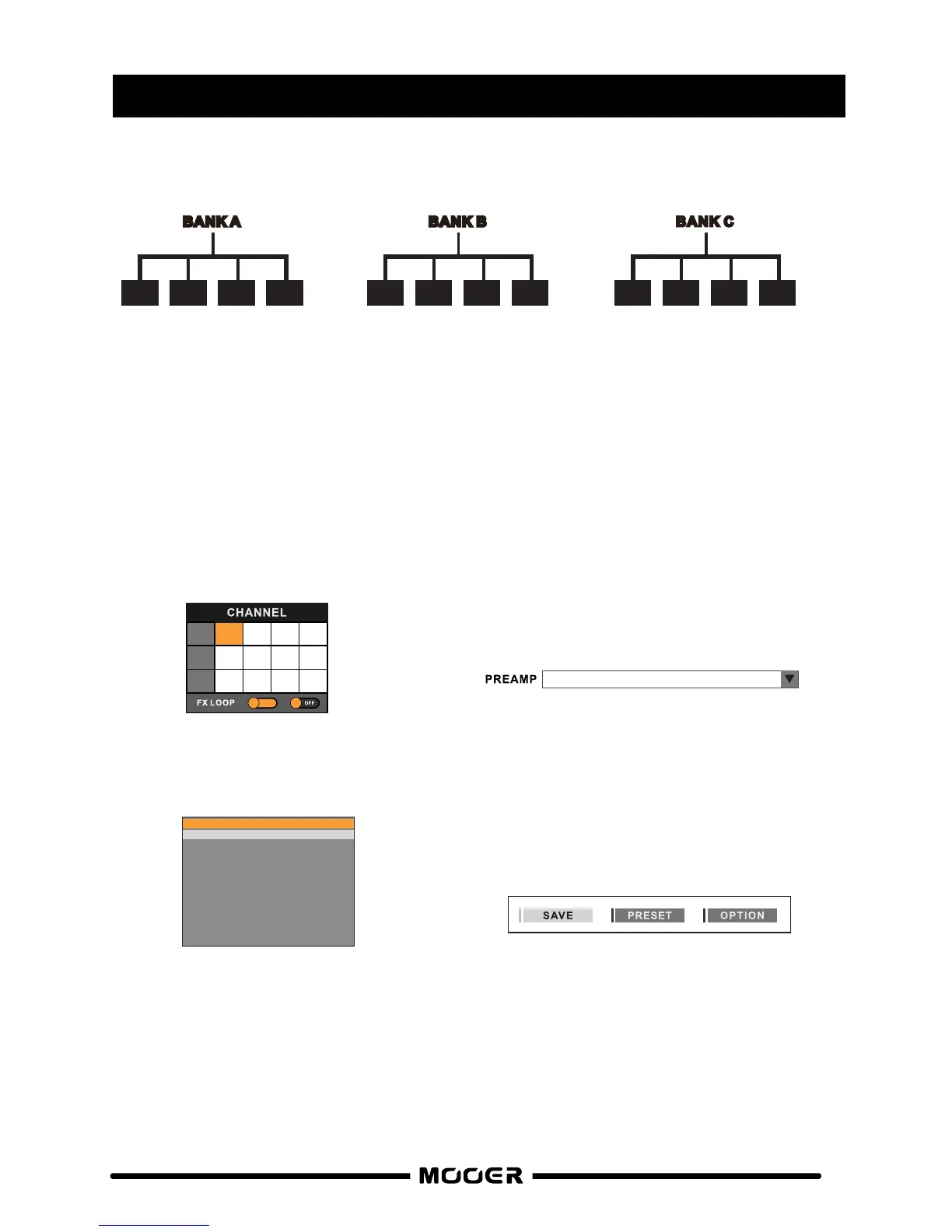
Preamp Live contains 12 PREAMP channels in total. By default the preamp channels that ship
with the unit are as follows….
BANK A
1 2 3 4
G
AS S
T
ATI
O
N
C
L
GA
S ST
AT
ION
D
S
U
K
GO
LD
A
U
K
GO
LD
B
BANK B
1 2 3 4
B
lueno
CL
U
S CLAS
SI
C
O
D
UK
G
O
L
D DS
BROWN
SOU
ND
3 DS
BANK C
1 2 3 4
Ca
li
M
k
3
CL
Cal
i
M
k3
D
S
T
WO
S
T
ON
E CL
T
W
O
S
T
ONE
DS
To change the PREAMP models and/or organise their channel allocation, download
the software from and connect PREAMP LIVE to your computer via www.mooeraudio.com
USB or to your mobile device via BLUETOOTH.
1. Select the channel you wish to edit
2. Open the PREAMP drop down menu
3. Select the new PREAMP model 4. Press the SAVE button
You can organise your PREAMP channels however you like and even have multiples of
the same PREAMP model on different channels so you can set them up differently.
A
B
1 2
3
4
1 2
3
4
C
1 2
3
4
SERIA L
5. Blueno UG 30
1. Gas Station Clean
2. Gas Station Dist
3. UK Gold Clean
4. UK Gold Dist
5. Blueno UG 30
6. US Classic OD
7. US Gold 100 Dist
8. Brown Sound 3 CH3
9. Cali-MK 3 Deep Clean
10. Cali-MK 3 Rhythm
11. Two Stone Coral Clean
12. Two Stone Coral OD
CHANGING PREAMP MODELS
18


 To Next Page