Operation
6 Chapter 2, Controller Operation 535 User's Manual
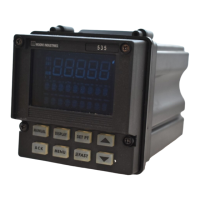
KEYS
FAST: Has no independent function. Press to modify the function of another
key (see below).
MANUAL : Press to toggle between manual and automatic control.
When lit, indicates the unit is under manual control.
SET PT : Press to select the active SP.
When lit, indicates that a setpoint other than the primary (e.g., RSP, SP2) is
active.
DISPLAY : Press to toggle through values in the 2nd display for setpoint, ramp-
ing setpoint, deviation, PV1, PV2, output and valve position (each, if available).
In Tuning or Set Up mode, press to return controller to Operation mode (dis-
play will show current setpoint).
▲▲
▲▲
▲ : Press to increase the value or selection of displayed parameter.
FAST+
▲▲
▲▲
▲ : Press to scroll through values at a faster rate.
▼▼
▼▼
▼ : Press to decrease the value or selection of displayed parameter.
FAST+
▼▼
▼▼
▼ : Press to scroll through values at a faster rate.
ACK : Press to acknowledge (an) alarm(s).
When lit, indicates there is an acknowledgeable alarm.
MENU : In Operation Mode, press to access the Tuning Menu.
In Set Up or Tuning mode, press to advance through a menu’s parameters.
(Use FAST+MENU to advance to the next menu.)
When lit, indicates the controller is in Set Up mode.
FAST+MENU : Press to access the Set Up menus.
In Set Up mode, press to advance through menus. (Use MENU by itself to
access the parameters of a particular menu.)
FAST
MANUAL
SET PT
DISPLAY
▲▲
▲▲
▲
▲▲
▲▲
▲
▼▼
▼▼
▼
▼▼
▼▼
▼
ACK
FAST
FAST
MENU
MENUFAST
+
+
+


 To Next Page