www.miinet.com Moore Industries-International, Inc.
- 86 -
User’s Manual
238-741-00K
May 2019
Programmable Smart HART Temperature Transmitter
THZ
3
/ TDZ
3
SECTION 5
Figure 5.18. COM Port Confirmation
Figure 5.19. Adding Device to COM Port
6. In the Serial Interface drop-down menu select the actual COM port which your HART Modem
is connected to click “Ok” to apply.
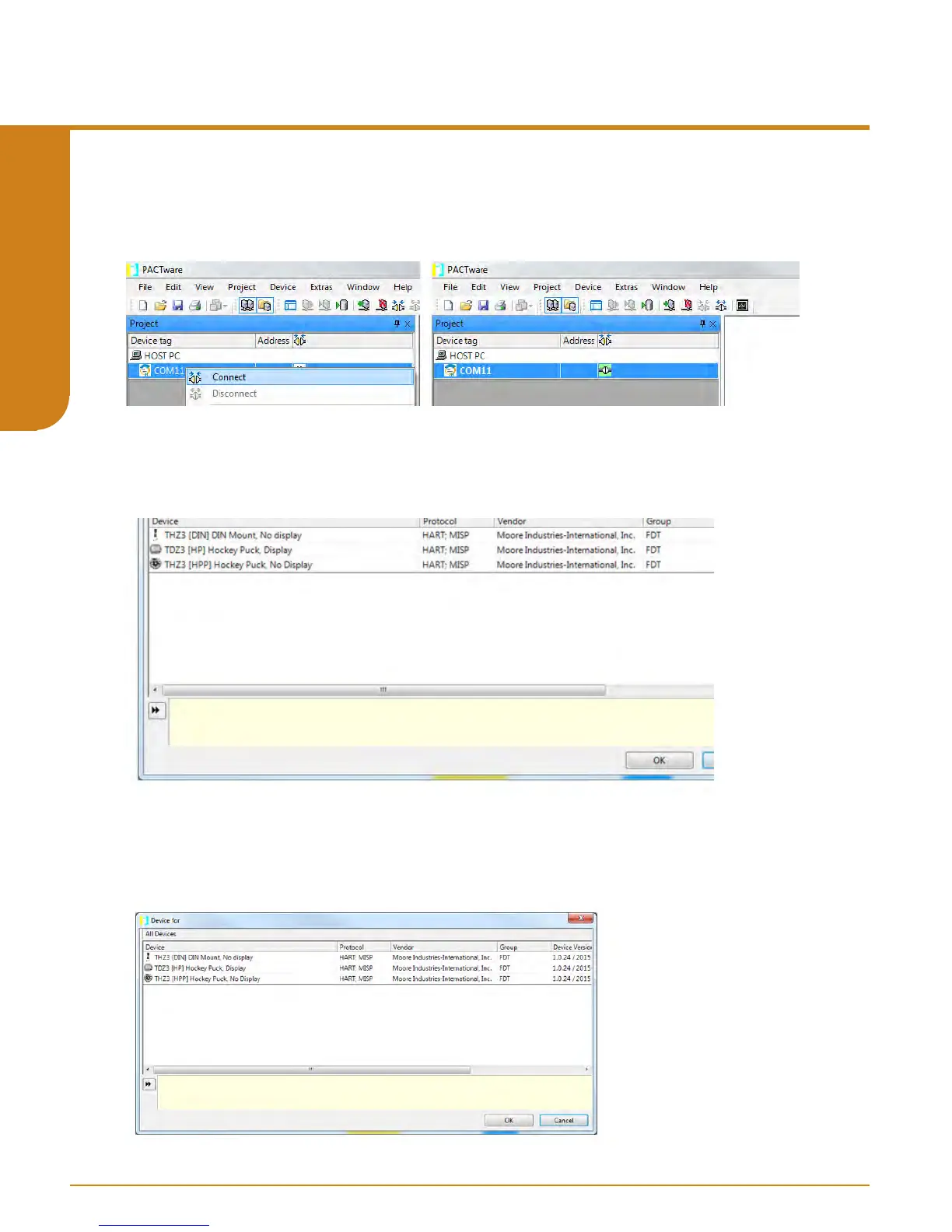
7. Return to Device Tag Menu the COM port you selected should now appear i.e. “COM11” hover
over it, right click and select “Connect”. You will now see the “online state” turn green to indicate
you have a connection.
Figure 5.20. Selecting desired Device DTM for THZ
3
/ TDZ
3
8. Next you will right click on “COM11” and select “Add device”. Select desired “TDZ
3
/
THZ
3
”
DTM and click “Ok”.



 To Next Page