www.miinet.comMoore Industries-International, Inc.
- 87 -
User’s Manual
238-741-00K
May 2019
Programmable Smart HART Temperature Transmitter
THZ
3
/ TDZ
3
SECTION 5
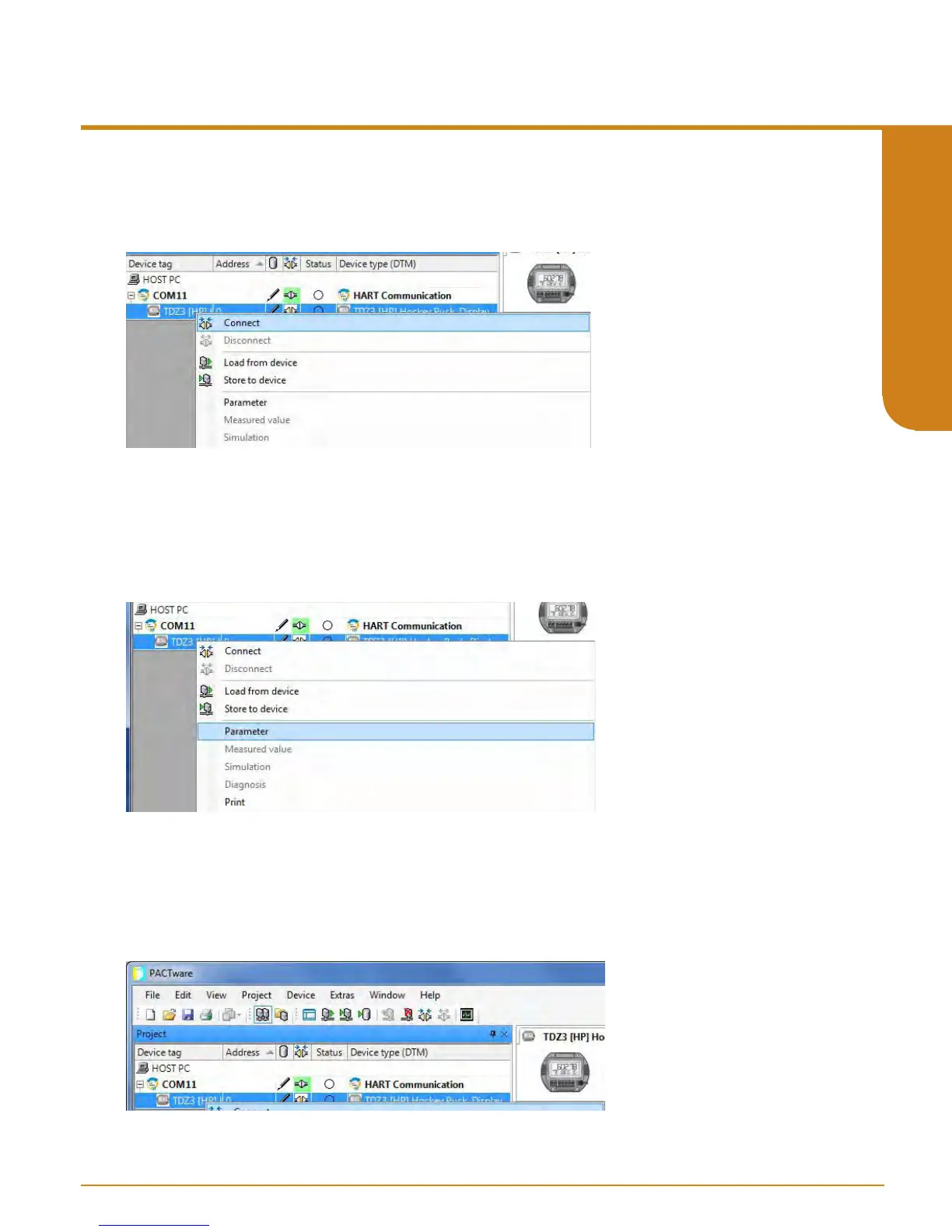
Figure 5.21. Connecting Device DTM for THZ
3
/ TDZ
3
Figure 5.22. Enabling Parameters for selected THZ
3
/ TDZ
3
DTM
Figure 5.23. THZ
3
/ TDZ
3
Parameters
9. Now right click on selected DTM (i.e. TDZ
3
[HP]) the Device Tag menu and select “Connect”.
You will now see the “online state” turn green to indicate you have a connection.
10. Right click on “right click on selected DTM (i.e. TDZ
3
[HP]) in the Device Tag menu and select
“Parameters”. This will bring up screen for the DTM parameters. You are now ready to start your
conguration of the device. You may also acquire the factory default settings directly form device
by right clicking on selected DTM (i.e. TDZ
3
[HP]) in the Device Tag menu and selecting “Load
from device”.
11. You will now see the “online state” turn green to indicate you have a connection. Now you
can go ahead and congure parameters of the on selected DTM (i.e. TDZ
3
[HP]).



 To Next Page