1. Basics
22
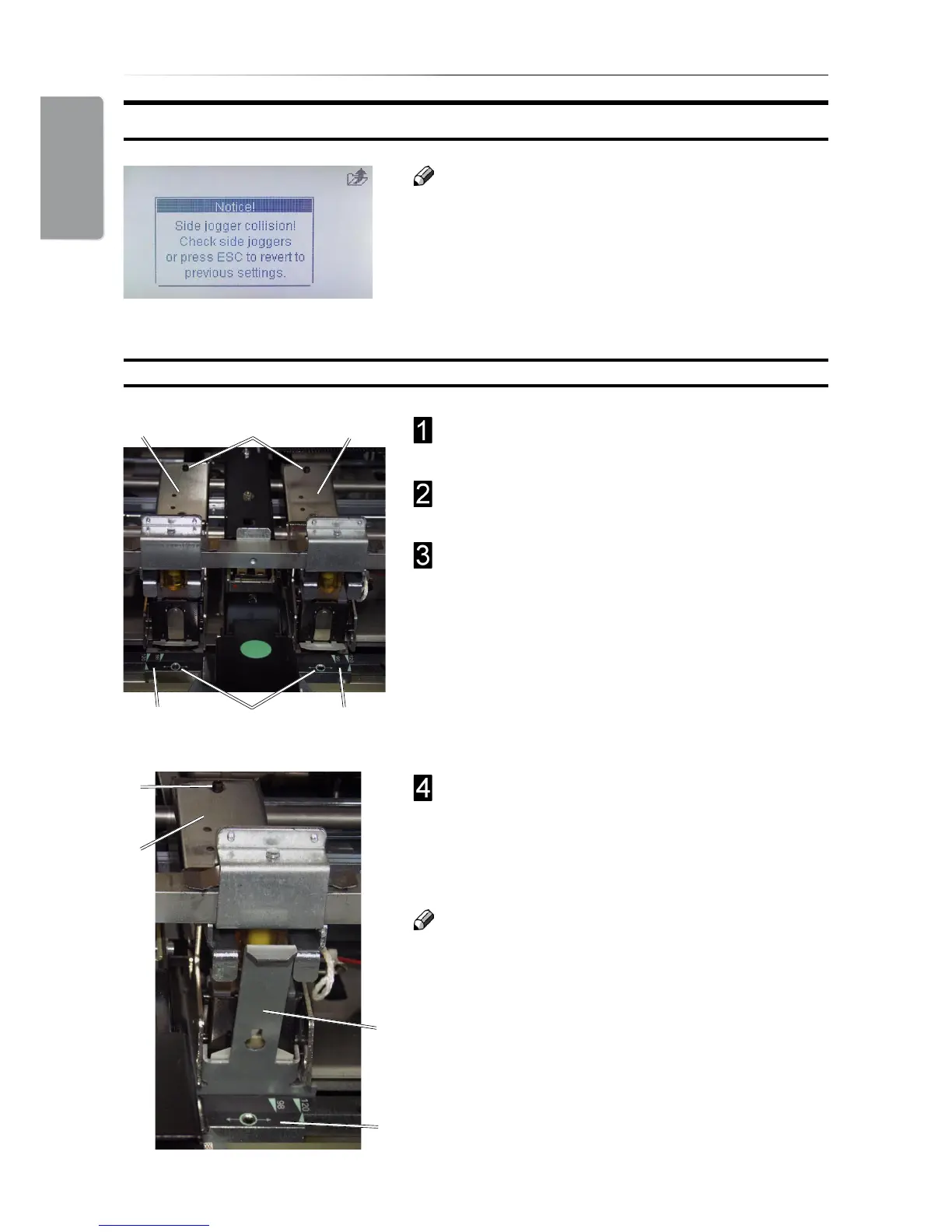
Changing Stapler and Clincher position
Use the allen key in the tool box at position (B) to
loosen each anvil (A).
Move each anvil (A) to the desired position and
tighten the set screws (B) using the allen key.
Use the allen key in the tool box at position (C) to
loosen each stapler assembly (D).
Position each stapler assembly (D) over the
corrresponding anvil (A) and use the alignment
tool (E) found on the right machine frame to
centre each stapler assembly over each anvil (A).
Thighten the screws (C).
Caution
It is very important to align the stapler assembly
correctly over the anvil.
B
A
A
C
Changing Staple position and Narrow width Paper Sizes
Note
Some situations require that the stapler assemblies
are repositioned and/or that the side guide
extensions are removed. This to avoid that the side
guide extensions collide with the stapler assembly.
If such collision should occur, the message “Side
jogger collision. Check side joggers. Width setting
reseted” will be shown in the control panel.
D D
E
A
C
D



 To Next Page