33
3. Admin
From the Main screen, press the [Admin] button to get to the Admin screen. Here you will
nd additional features and settings.
The Admin Screen
Paper size check
Use [Paper size check] to verify that the Booklet Maker
paper size setup corresponds to the actual hand fed
sheets. If sheets/sets instead are fed from a Feeder/
Collator, this control can be made after a calibration
set has been sent from the Feeder/Collator, see On-
line mode under section 2.
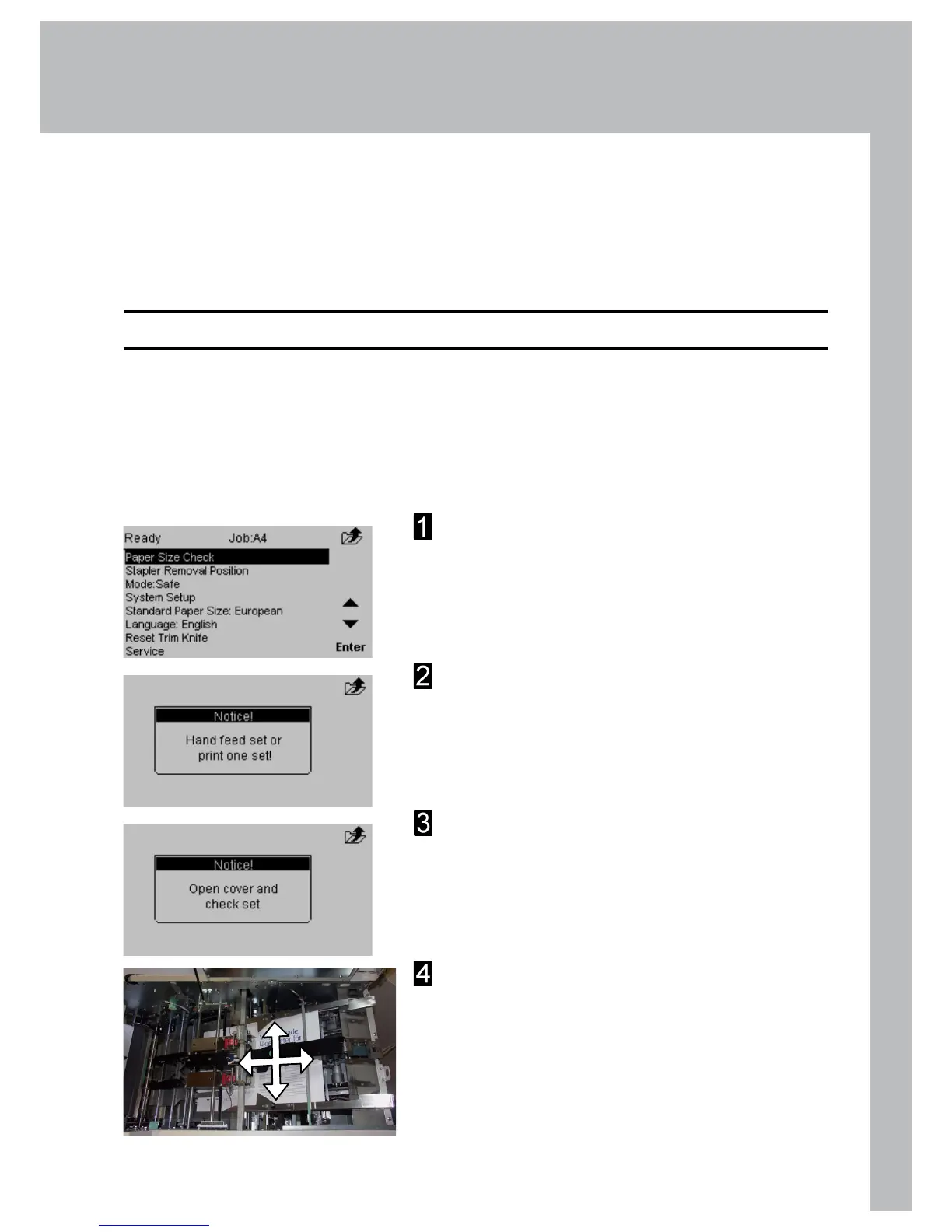
Select [Paper Size Check] and press the [Enter]
button.
The Message “Hand feed set or print one set!” is
displayed. Hand feed a set to the Booklet Maker.
The message “Open cover and check set!” will
be shown in the Booklet Maker control panel.
Open the Booklet Maker top cover.
Try to move the sheet/set as illustrated to detect
play. If there is play, adjust the paper size setting
in the Booklet Maker accordingly. Perform Paper
size check again and verify that there is no play.
Continue on next page



 To Next Page