35
3. Admin
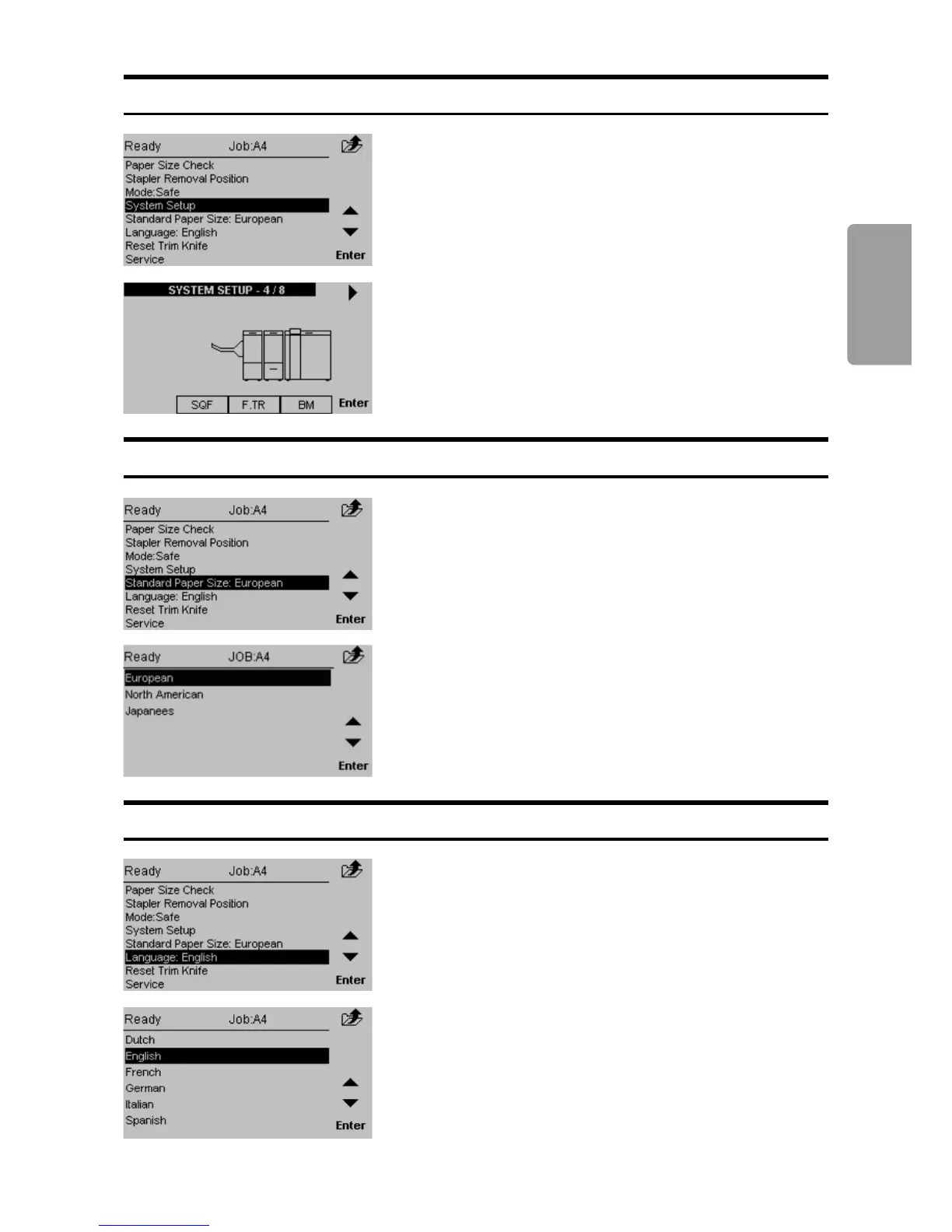
Standard Paper Size
By changing the paper size standard, the preset
paper sizes are altered to best t your regional
standard. Also, the units will change between
millimetres and inches accordingly. Select [Standard
Paper Size] and press the [Enter] button.
Select the desired standard and then press the
[Enter] button.
System Setup
Scroll to the right system conguration and press the
[Enter] button.
[System Setup] allows you to change how the
booklet making system setup will appear in the
control panel. Select System Setup and press the
[Enter] button.
Language
From this screen you can change the language in
the user interface. Select [Language] and press the
[Enter] button.
Select desired language with the [arrow] buttons and
press the [Enter] button.



 To Next Page