2. Making Booklets
26
Custom Paper Size
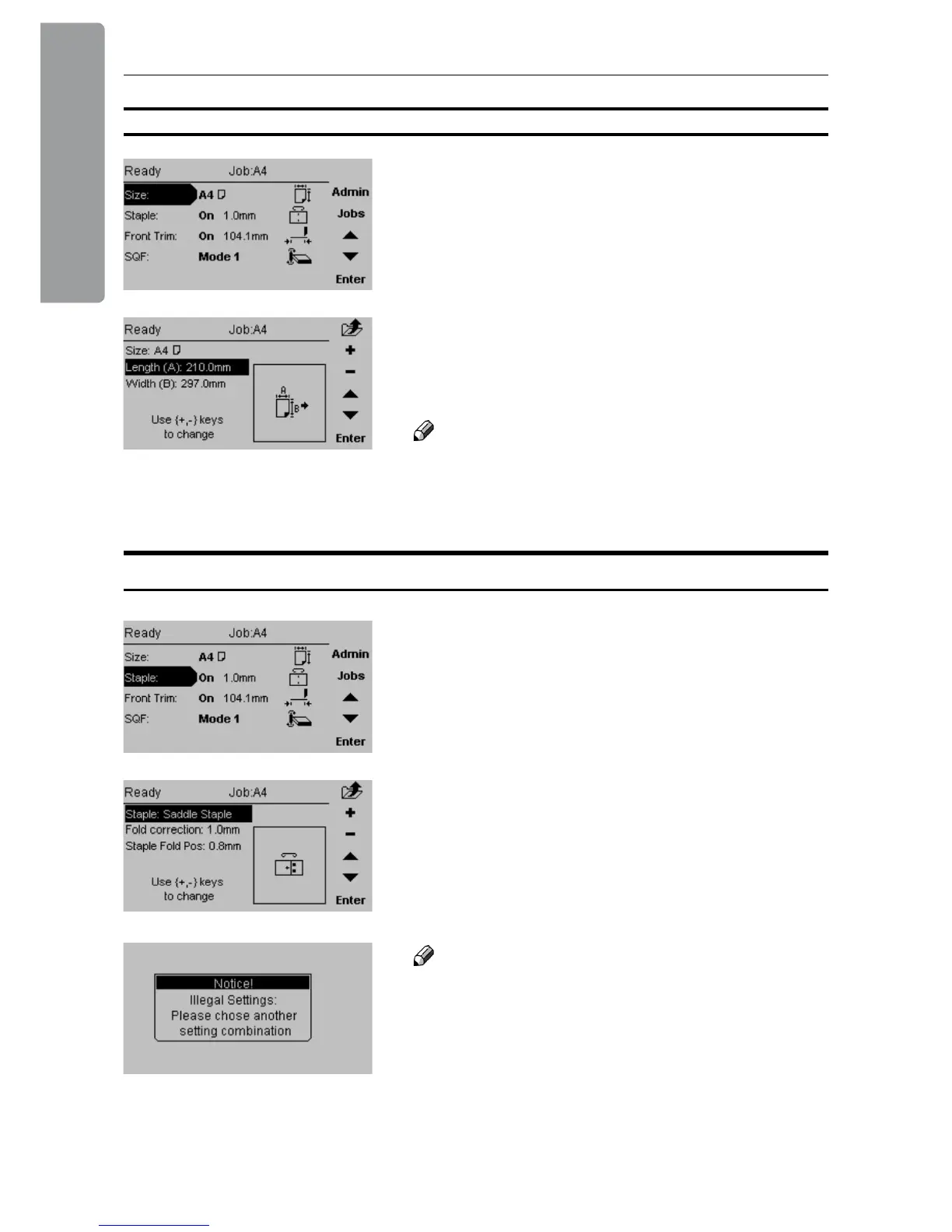
From the Main screen, select [Size] and press the
[Enter] button.
Select [Length] or [Width] and press the [+] or [-]
button to correct paper size. The paper size can be
changed in increments of 0.1 mm or approx.. 0.01
inches. Press the [Enter] button to conrm.
Note
In the main screen the paper size is shown without
the decimal point. The machine has however
recognised and set up according to the exact size
including the decimal point.
Stapling and Folding
From the Main screen, select [Staple] and press the
[Enter] button.
There are four different stapling modes; [Off],
[Edge staple], [Saddle staple] and [Corner staple].
With the Staple line highlighted, press [+] or [-] to
choose stapling option.
Note
Some combinations of paper size and staple mode
are not possible. If the message “Illegal settings.
Please choose another setting combination” is
shown, correct either paper size or stapling mode.



 To Next Page