6
CCoonnttrrooll ppaanneell sseettttiinnggss && ffuunnccttiioonnss
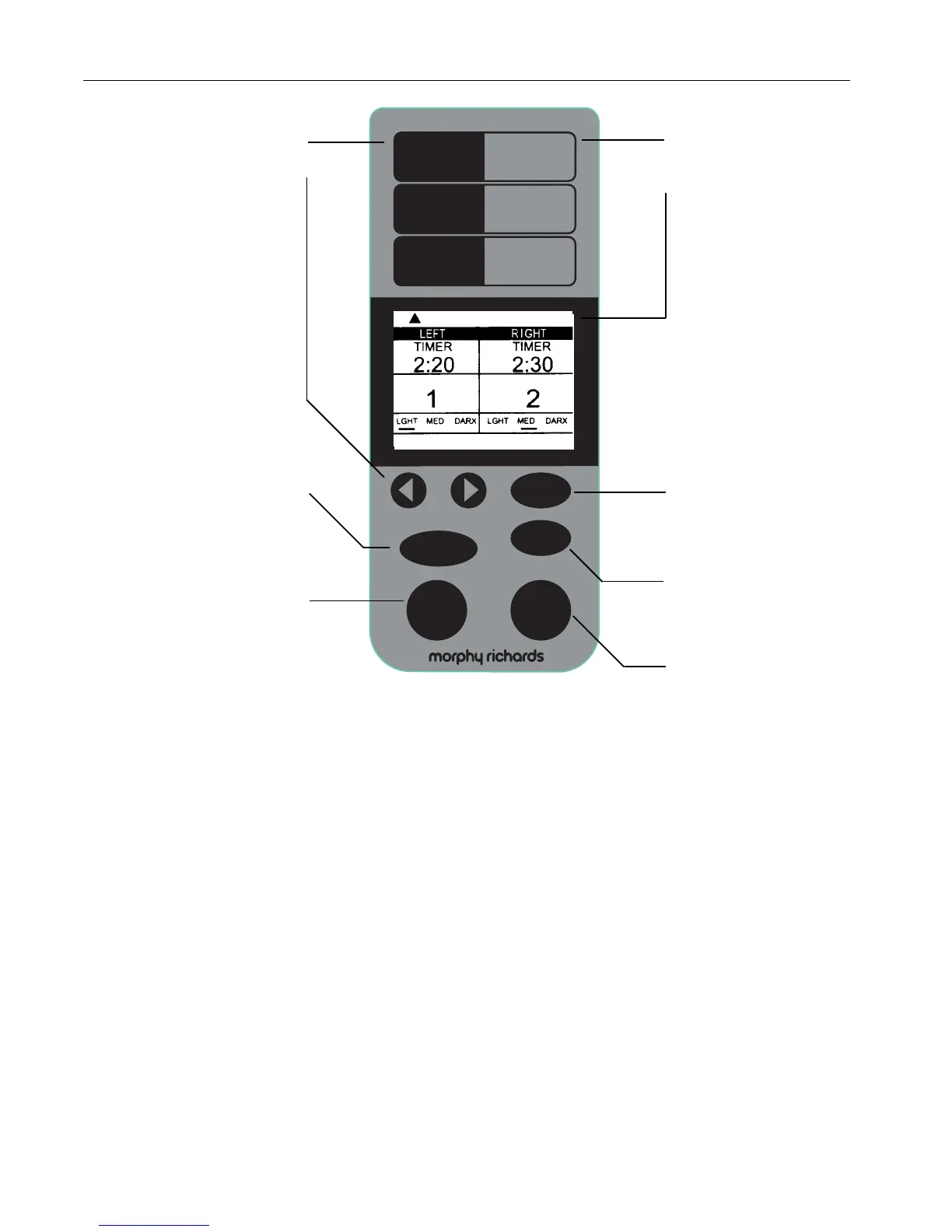
Menu descriptions
Display window
The top and bottom of
the display shows the
mode selected.
The central display is
divided into 2 sections for
the 2 pans and shows:
• Timer delay baking time
and the minute-by-
minute baking time
countdown
• The menu numbers
selected
• The crust colour selected
• Temperature too high or
too low
Menu button
For choosing the program
menu setting listed on the
control panel above
Colour button
For selecting crust colour.
Choose from Light,
medium or dark
Start
Press to start; or if time
delay selected, begins
countdown to begin
operation.
Stop
Press to stop or to cancel
incorrect timer setting.
Hold until you hear the
beep. Note: Do not press
Stop when just checking
the progress of bread.
Mode descriptions
Timer controls
Use when setting the
timer to delay the start of
baking. Press ➤ and
buttons to set timer,
arrows move time up or
down in 10-minute
increments. Press and hold
buttons for faster
movement. Timer is not
available on some cycles -
please see section ‘Baking
cycle times’. Note: If
making two loaves
simultaneously, both
programs will start at the
same time.
Left/Right control
Press to choose left pan
only, right pan only or
both pans.
Mode select button
Press to select from the
modes listed on the
control panel above.
Choose from Normal, Fast
or Rapide for making
bread; Dough; and Special
for jam, quick, cake and
bake.
➤



 To Next Page