6
● When installing the lamp, do not touch the glass surface of the lamp with bare fingers. Doing
so will cause fingerprints, grease, etc., to burn onto the lamp surface, reducing the illumination
provided by the lamp. If surface is contaminated, wipe it clean using lens tissue.
● Return lamphouse cover to original position and rotate clockwise to lock into place. The
model name marked on the cover should face the user.
2. Halogen Lamp
● The quartz halogen lamp, used as a light source, has higher luminance and colour temperature
than conventional tungsten lamps. The luminance is approximately four times brighter.
● As long as the lamp voltage is kept constant, the halogen lamp maintains the same level of
brightness and colour temperature regardless of whether it is new or nearing the end of its life.
3. Filter Holder
● Insert filter holder in opening located under the lamphouse
4. Mounting the Condenser
● Mount the ELWD condenser on the circular dovetail mount of the condenser holder with the
aperture diaphragm lever and index marks facing the front and secure it with the clamp screw.
● Insert the Ph annular diaphragm slider with centering hexagonal socket head screws facing the
front.
5. Installing the Objectives
● Remove the metal stage insert from the stage.
● Install the objectives into the nosepiece so that the magnification increases with clockwise
rotation of the revolving nosepiece.
● Replace the metal stage insert.
6. Mechanical Stage
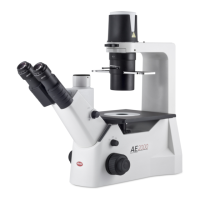
● Secure the mechanical stage to the AE20/21 plain stage using the two mounting screws located
beneath the stage on the right side (when facing the front of the instrument).



 To Next Page