Motorola Confidential Proprietary
A920/A925Manual Test Procdures
3 - 10
Preliminary
Radio Comm Test Commands
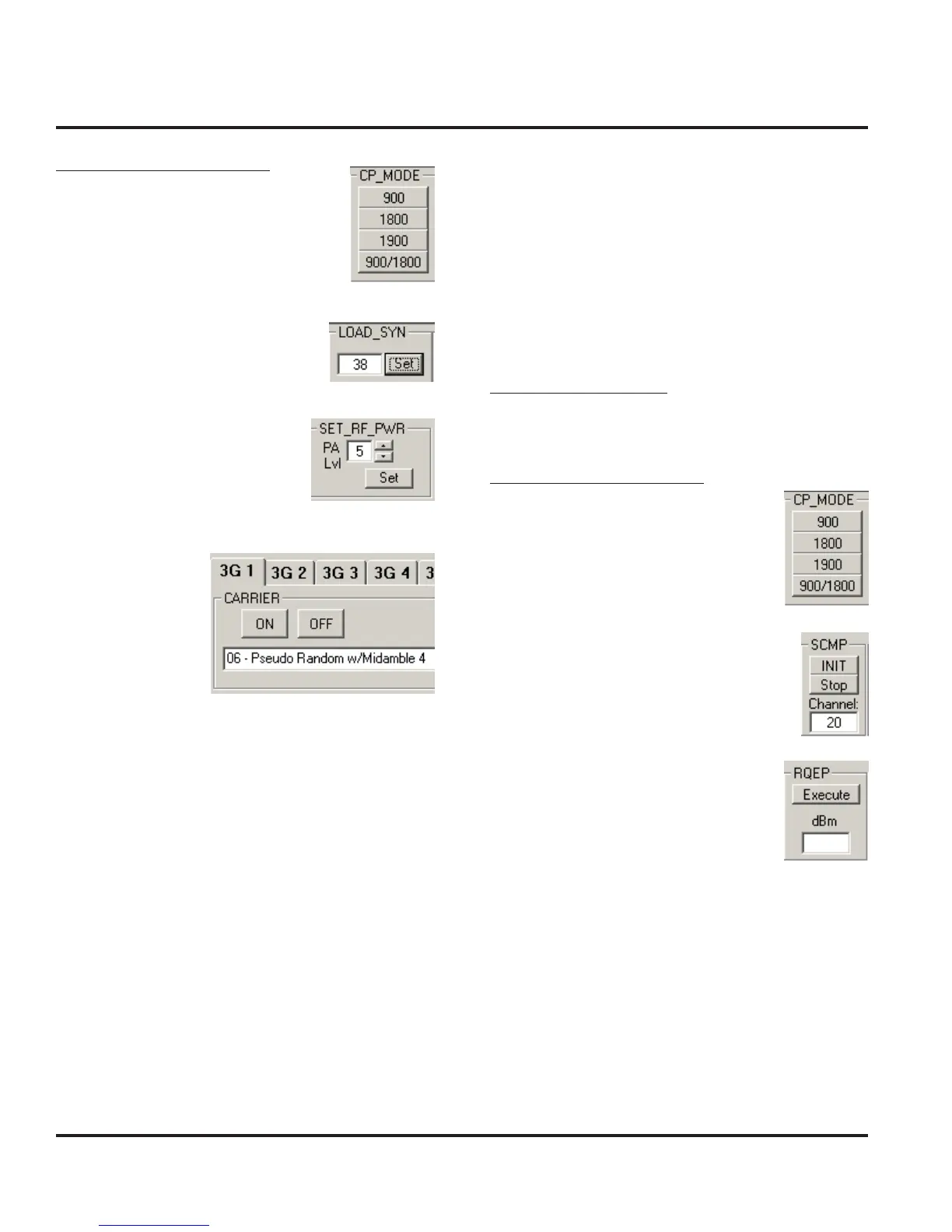
Click on 900/1800 (GSM/DCS) or
1900 (PCS)
Enter 38 (GSM), 700 (DCS), or 661
(PCS) and then click Set
Enter 5 (GSM) or 0 (DCS/PCS)
and then click Set
Select 06 and then
click ON
GSM RSSI
Verify GSM RSSI by initiating the commands in this
section. Verify that the RSSI results are equal to the
Broadcast Channel (BCH) level. The user will need to
set the RF generator with the following parameters.
Broadcast Channel (BCH): 20
Broadcast Channel (BCH) Level: -105 dBm
Handset Test Commands
No supported test commands
Radio Comm Test Commands
Click on 900/1800 (GSM/DCS) or
1900 (PCS)
Enter Channel 20
Click INIT
Click Execute
Verify return data is approximately
-105 dBm
Non-Signalling Test Procedures (GSM/DCS/PCS)



 To Next Page
 Loading...





