Motorola Confidential Proprietary
A920/A925Manual Test Procdures
3 - 12
Preliminary
Radio Comm Test Commands
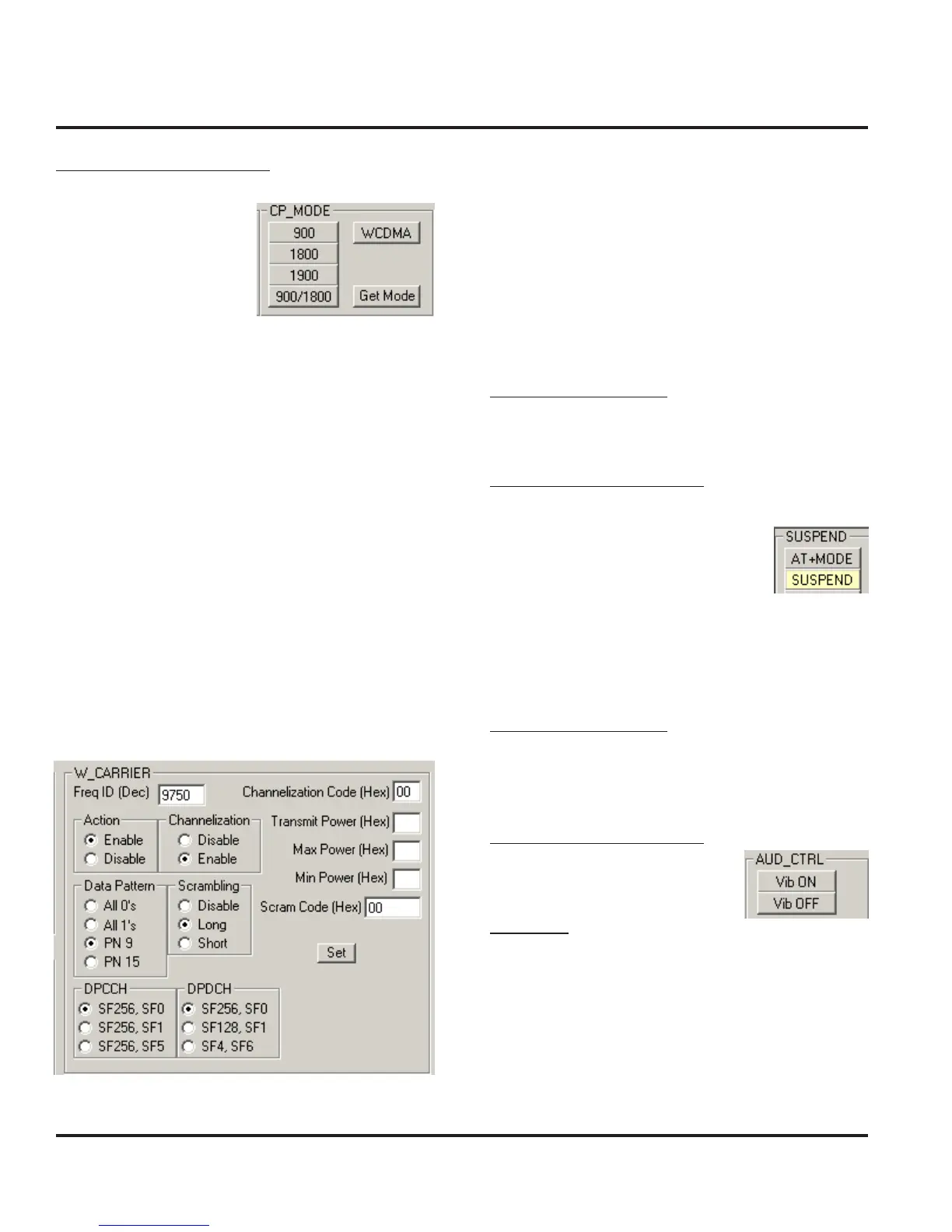
Click on WCDMA
For W_CARRIER assign these actions to each field
Freq ID (Dec) 9750
Action Enable
Channelization Enable
Data Pattern PN 9
Scrambling Long
DPCCH SF256, SF0
DPDCH SF256, SF0
Channelization Code 00
Transmit Power 15¹
Max Power 15¹
Min Power 80²
Scram Code 00
¹0x0015 -> 21 dec -> +21dBm
²0x0080 -> 128 dec -> (128-256 = -128 dBm)
Audio/Vibrator Test Procedures
This section describes how to use test commands to
verify audio and vibrate functions.
In order to successfully send test commands to the phone
under test, the phone needs to be in suspend mode.
Follow the listed procedure to place the phone in sus-
pend mode.
Handset Test Commands
54 ok Suspend
Radio Comm Test Commands
Click AT+MODE then SUSPEND
(Serial Only)
Click PST Initialize and click SUS-
PEND when initialization is complete
(USB Only)
Vibrator Test
Handset Test Commands
3*0*1 Enable Vibrator
3*0*0 Disable Vibrator
Radio Comm Test Commands
Enable or Disable Vibrator
Verification
Verfiy vibration function when enabled.
Audio/Vibrator Test Procedures



 To Next Page
 Loading...





