AP_CMM2 User Manual Pa
e 41 of 49
LINK TEST
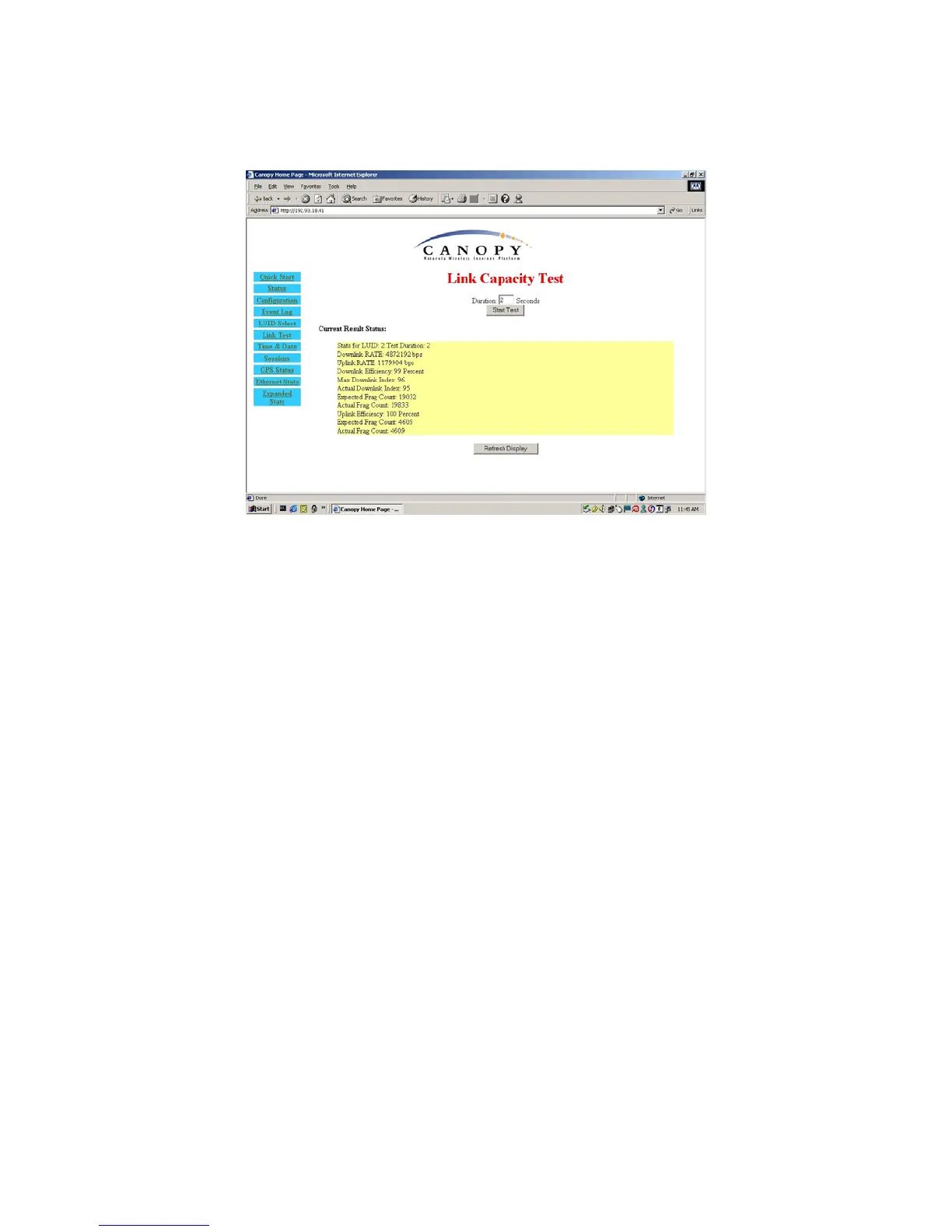
Figure 15: Link Test web page
The Link Test is a test for measuring the throughput and efficiency of the RF link between two
Canopy modules.
To perform a link test enter a number into the field labeled “
Duration
”. The duration is the number
of seconds the RF link will be tested. Start the link test by clicking the “
Start Test
” button. The test
will now run for the set duration. If the web page is not set to automatically refresh, click the
“
Refresh Display
” button to see the results. For a Canopy System link to be considered acceptable
it is necessary for the efficiencies of the link test to be greater than 90% in both the uplink and
downlink direction. It is recommended that when a new link is installed that a link test be executed
to ensure that the efficiencies are within recommended guidelines.
The key fields are:
• Downlink RATE, bits per second
• Uplink RATE, bits per second
• Downlink Efficiency, percent
• Uplink Efficiency, percent
TIME & DATE
This web page is used to set the time and date of the Access Point module when it is not
connected to a Cluster Management Module (CMM). The time and date would need to be set
every time there is a power cycle. The format for the entry is:
Time:
hh:mm:ss
Date: mm/dd/yyyy
• hh: two digit hour in military time
• mm: two digit minute
• ss: two digit second
• mm: two digit month



 To Next Page
 Loading...




