Tolerance
Auto Clear
Angle Setup
T+A Threshold
First Peak
Spindle Audit
The display holds the first detected torque peak applied. Before any torque is applied, the display show dashes in the
torque value area. Once peak is detected, the display will show the torque value. If a second peak is detected then it
will be displayed in the lower right (in small reverse video).
First Peak
First Peak Setup
Sensitivity: Low
Min Peak: 5.0089 Lbf.in
Main
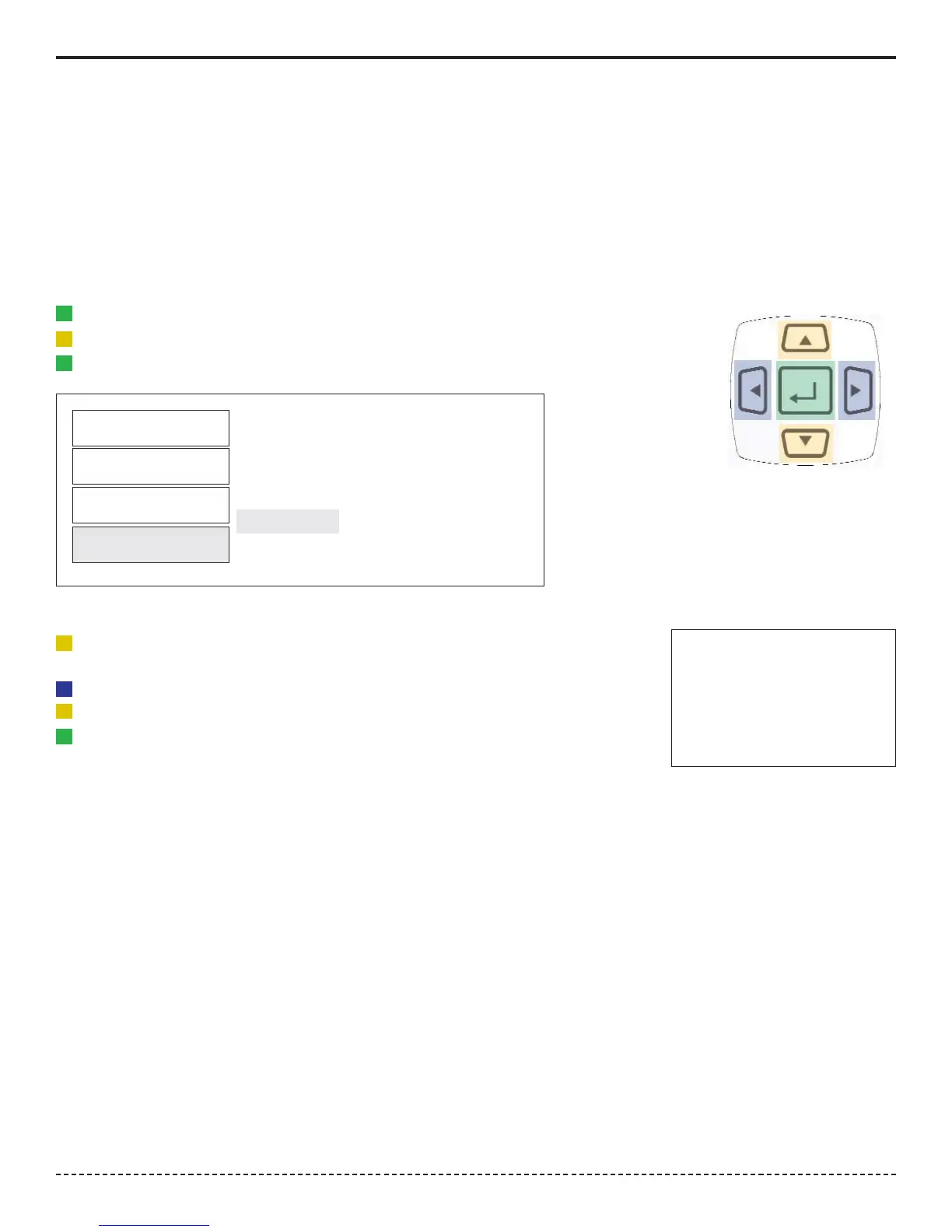
1. Press the "Menu" Button.
2. Use the Scroll Down key and select Setup by highlighting and pressing Enter.
3. Use the Scroll Up or Down key to toggle through the Setup options.
4. Press Enter key to select a setup setting for First Peak.
Filter
Units
Mode
Setup
Selecting First Peak
1. Use the Scroll Up or Down key to toggle through the sensitivity settings:
(Low, Medium & High)
2. Press the Right or Left key to move down to the Min Peak setting location
3. Use the Scroll Up or Down to set the Minimum Peak
4. Press Enter key once setting is complete.
5. Press Main button to return to main display screen.
Corporate Headquarters: 1080 North 11th Street, San Jose, CA 95112 Phone: (408) 292-2214 Fax: (408) 292-2733
www.etorque.com
Page 13


 To Next Page