3. OPERATION AND SET-UP
•
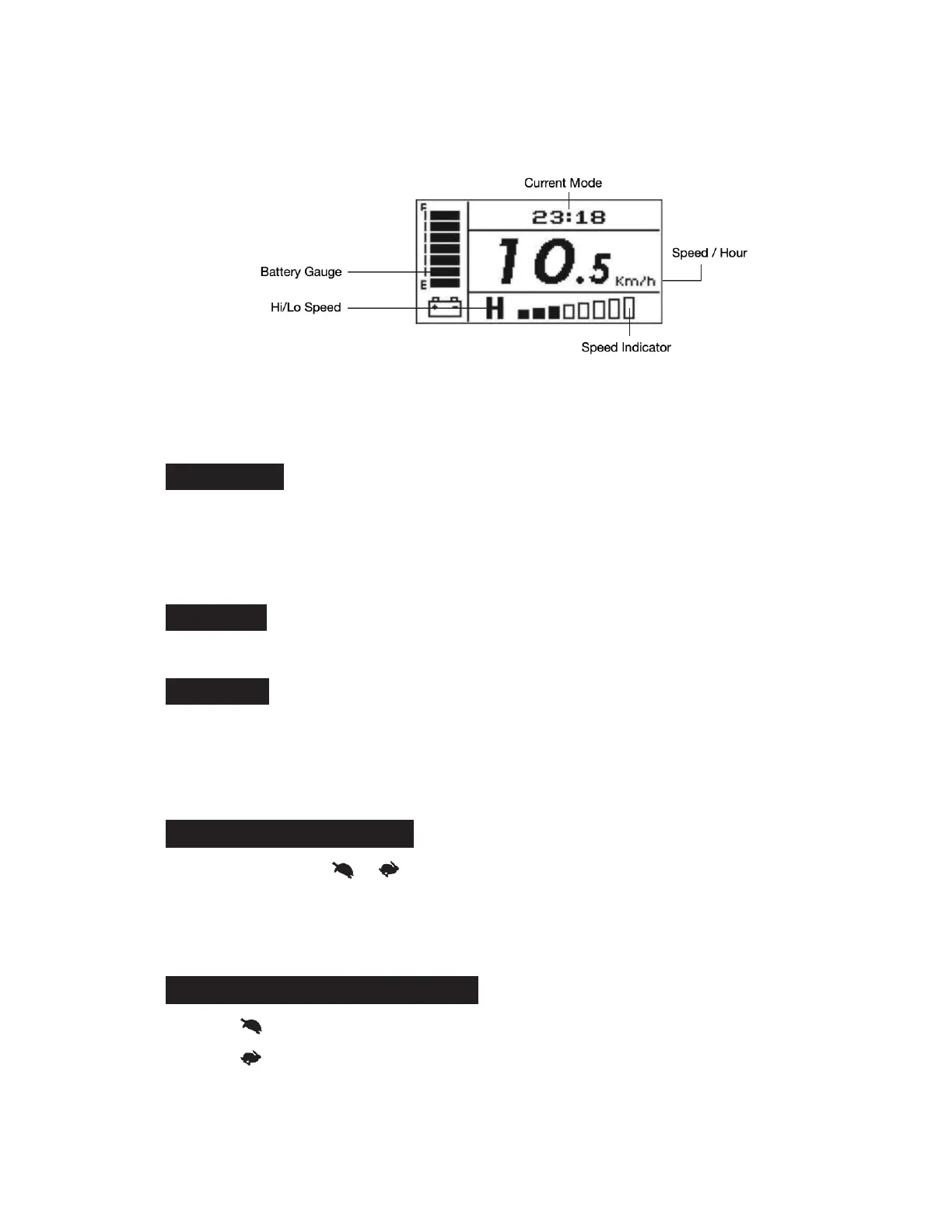
[H/L] Switch: Press H/L Speed button once, the High/Low Speed Indicator will light
on, means driving in high speed mode; Press again, the indicator will extinguish,
means driving in low speed mode. (Hi/Lo speed will vary which depends on your
current speed settings)
H / L switch:
•
Maximum speed can be 100% (Max) if [H/L] is set to "H"
•
The low speed LED indicator lights up if [H/L] is set to "L", the maximum speed in low
speed mode can reach 60% of the scooter's maximum speed.
•
Press [H] / [L] to decrease/increase the maximum speed.
Configuration:
•
Press [MODE] to change display mode: TIME, TEMP, ODO, and TRIP.
Exit / Save :
•
Setup mode will automatically quit after 15secs without pressing [left turn] and [right
turn], and scooter will save the setting and return to operation mode.
•
User can also press any buttons, except [left turn] [right turn] to save the setting
automatically and return to operation mode.
[
TIME
]
Time mode (Figure 11) :
•
Hold both buttons [ ] [ ] together for 2 secs to set up the time.
•
Press [left turn] to increase digits/ Press [right turn] to decrease digits.
•
12hr-mode : 12:00AM~11:59PM / 24hr-mode : 00:00~23:59. Tolerance : +/- 2 seconds/
day.
[
TEMP
]
Temperature mode (Figure 12) :
•
Press [ ] : Centigrade. Range -20°C~50°C.
•
Press [ ] : Fahrenheit. Range -4°F~122°F.


 To Next Page