[
ODO
]
Odometer mode (Figure 13) :
•
Range : 0~99999.
•
The odometer will be reset automatically to zero after the total distance
reaching 99999km (62149 mile).
•
The odometer (hrs) will stop counting after reaching 99999hrs.
[
TRIP
]
Trip mode (Figure 14) :
•
Hold [ ] [ ] together for 2 secs to reset TRIP meter.
•
Range : 0.0~999.9hrs. The trip meter will stop counting when reaching 999.9hrs.
OPERATING YOUR SCOOTER
Main Key Switch / Headlight :
•
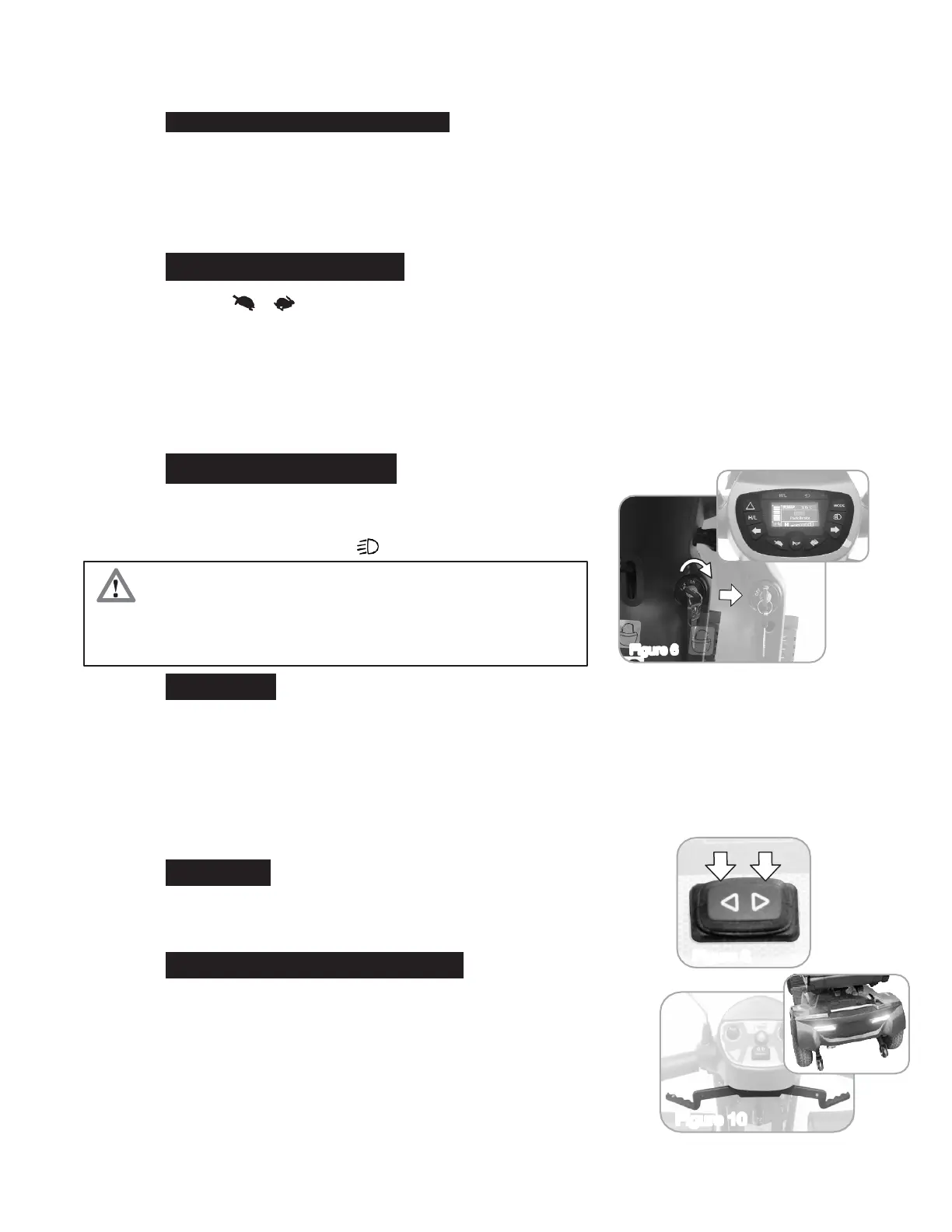
Turn the key to the right - Turn scooter on. (Figure 6)
•
Turn the key to the left - Turn scooter off
•
By turning the key to [ ] to turn on the head light.
Sleep Mode :
•
Scooter will go into Sleep Mode with one long beep warning sound if no throttle
activity is detected for programmable time period. (Default programmable time is
30 mins.)
•
When scooter is in Sleep Mode, the Power/Self-Diagnostic warning light on the
control panel will be off, and the scooter will not respond to commands.
•
To wake up the scooter, turn the power (key) off and then on again.
Turning Signal:
Press the left side to turn on the left turn signal. Press the right side to
turn on the right turn signal. (Figure 8)
Head light / Ta i l light/ Decorative light :
•
There are 4 modes for lights: On (Default) / Off / Head Light / 3-
Stage.
•
Please refer to section 4-4 for light modes setting.
•
For any head light or tail light faults, the panel indicator will flash
and stop in 5 seconds when pressing headlight switch. Please
contact your authorized dealer for assistance.
•
Always ensure that the scooter is switched off before
getting on or off the scooter and before removing any
items of the scooter
•
Turning the scooter OFF whilst driving will bring the
scooter to an abrupt stop and danger.


 To Next Page