- 2 -
Overview
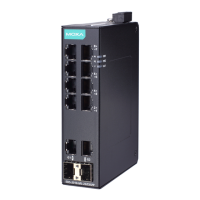
The Moxa EtherDevice™ EDS-405A/408A series, which includes both 5
and 8-port smart Ethernet switches, is a cost-effective solution for your
Ethernet connections. In addition, the built-in smart alarm function
helps system maintainers monitor the health of your Ethernet network.
Package Checklist
The Moxa EDS-405A/408A switches are shipped with the following
items. If any of these items is missing or damaged, please contact your
customer service representative for assistance.
• EDS-405A or EDS-408A Ethernet switch
• RJ45-to-DB9 console port cable
• Protective caps for unused ports
• Pane l m ounting kit (optional—must order separately)
• Quick installation guide (printed)
• Warranty card
Default Settings
• Default IP address: 192.168.127.253
• Default Subnet Mask: 255.255.255.0
• Default Usernames: admin, user
• Default Password: m oxa
For users who have just updated to firmware v3.10 and above:
If users did not enter a password
previously, they will have to
new password that has at least four characters. The
default password is ‘m oxa’.
If users entered a password wi
th three characters or less, they
will nee d to enter a ne w password that is at least four
characters.
users had already added a password that is four characters
or m ore, then no action is required.



 To Next Page
 Loading...