EDS-408A/405A Series User’s Manual Getting Started
2-8
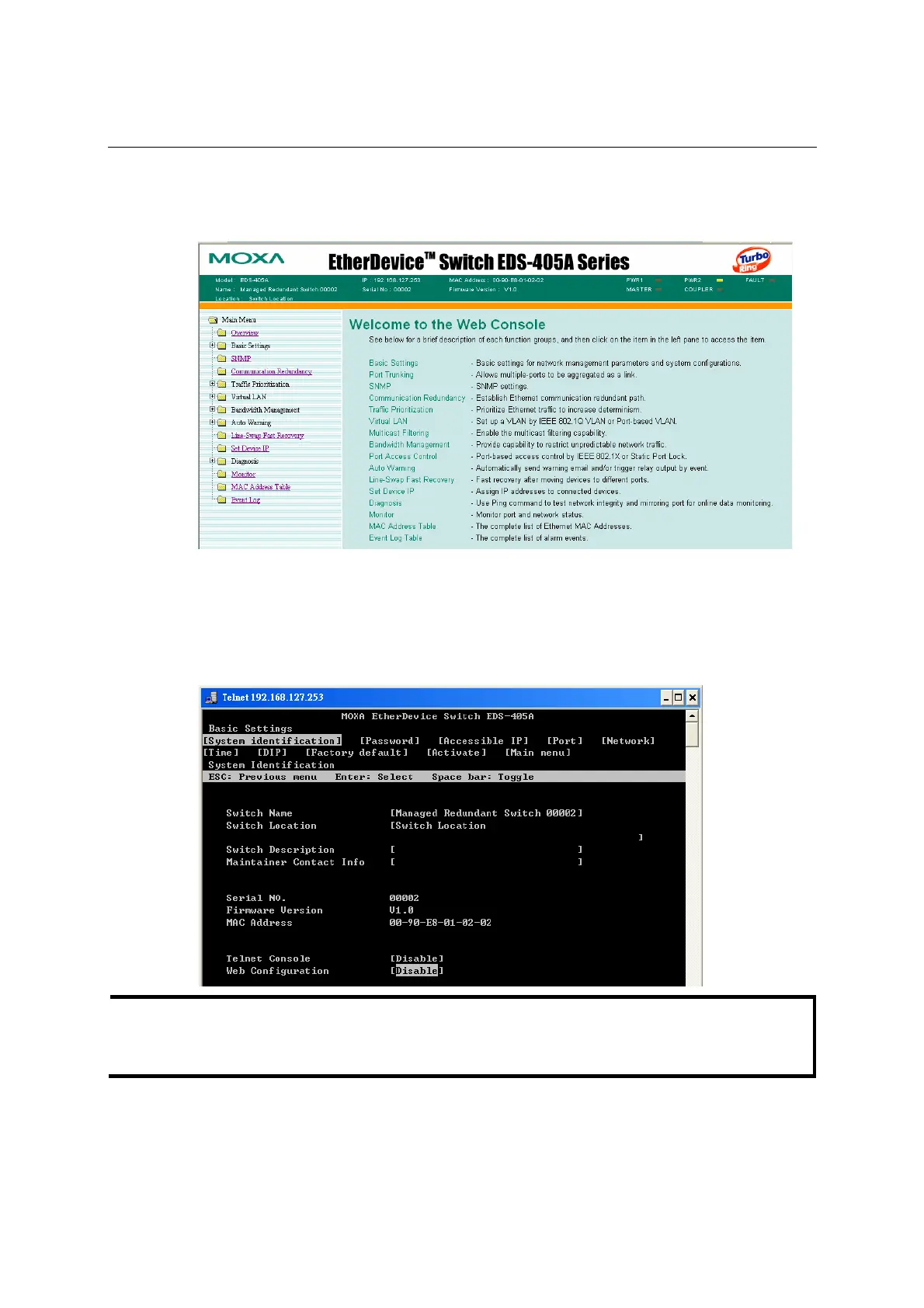
You may need to wait a few moments for the web page to be downloaded to your computer. Use
the menu tree on the left side of the window to open the function pages to access each of MOXA
EtherDevice Switch’s functions.
Disabling Telnet and Browser Access
If you are connecting MOXA EtherDevice Switch to a public network, but do not intend to use its
management functions over the network, then we suggest disabling both Telnet Console and Web
Configuration from the RS-232 Console’s Basic Settings Æ System Identification page, as
shown in the following figure.
NOTE
If you are connecting MOXA EtherDevice Switch to a public network, but do not intend to use its
management functions over the network, then we suggest disabling both Telnet Console and
Web Configuration.














 To Next Page