- 5 -
• Do not run signal or communications wiring and power wiring in the
same wire conduit. To avoid interference, wires with different signal
characteristics should be routed separately.
• You can use the type of signal transmitted through a wire to
determine which wires should be kept separate. The rule of thumb is
that wiring that shares similar electrical characteristics can be
bundled together.
• Keep input wiring and output wiring separated.
• We strongly advise that you label wiring to all devices in the system.
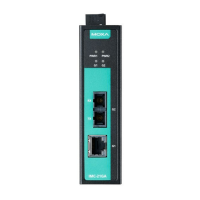
Grounding the IMC-21GA
Grounding and wire routing help limit the effects
of noise due to electromagnetic interference
(EMI). Run the ground connection from the
ground screw to the grounding surface prior to
connecting devices
duct is intended to be mounted to a well-grounded
mounting surface such as a metal panel.
Wiring the Power Inputs
The 4-contact terminal block connector on the IMC-21GA’s top panel is
used for the IMC-21GA’s two DC inputs. Top and front views of one of the
terminal block connectors are shown here.
Insert the negative/positive DC wires
STEP 2: To keep the DC wires from pulling loose,
use a small flat
blade screwdriver to tighten the
wire
-clamp screws on the front of the terminal
Insert the plastic terminal block
connector prongs into the terminal block receptor
located on IMC
-21GA’s top panel.
Redundant Power Inputs
Both power inputs can be connected simultaneously to live DC power
sources. If one power source fails, the other live source acts as a backup,
and automatically supplies all of the IMC-21GA’s power needs.





 To Next Page