ioLogik E1200 Series Using ioSearch™
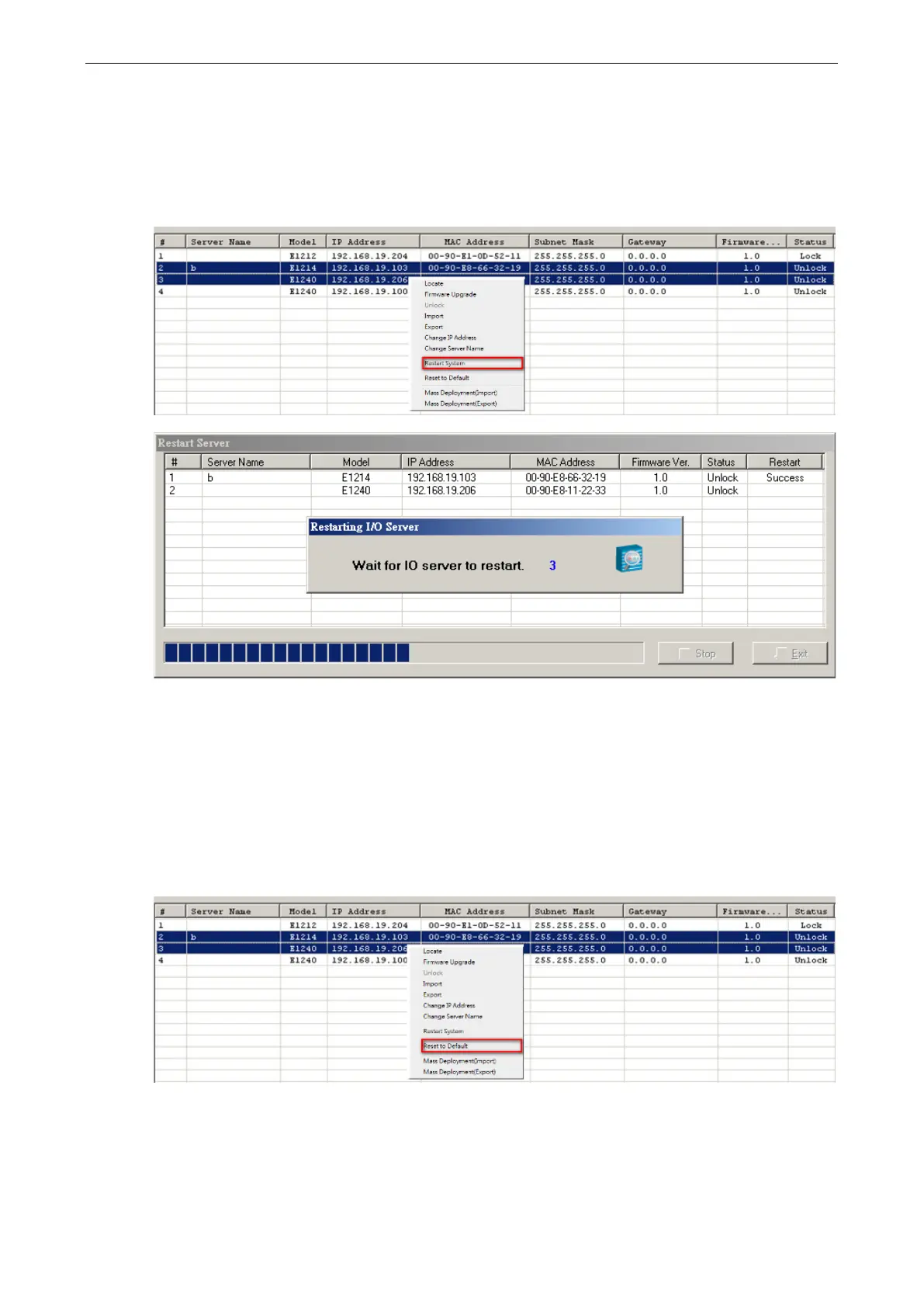
Restart System
Select this command to restart the selected ioLogik E1200.
Restarting multiple ioLogik E1200 units is allowed. Select the ioLogik E1200 and right click to process this
function.
Reset to Default
Select this function to reset all settings, including console password, to factory default values.
Resetting multiple ioLogik E1200 units to the default configuration is allowed. Select the ioLogik E1200 and
right click to process this function.
Mass Deployment (Import)
Users can import E1200 series module information via ioSearch™. Select this command to reload a
configuration from an exported .CSV file.







 To Next Page