NPort 5000 Series User Manual
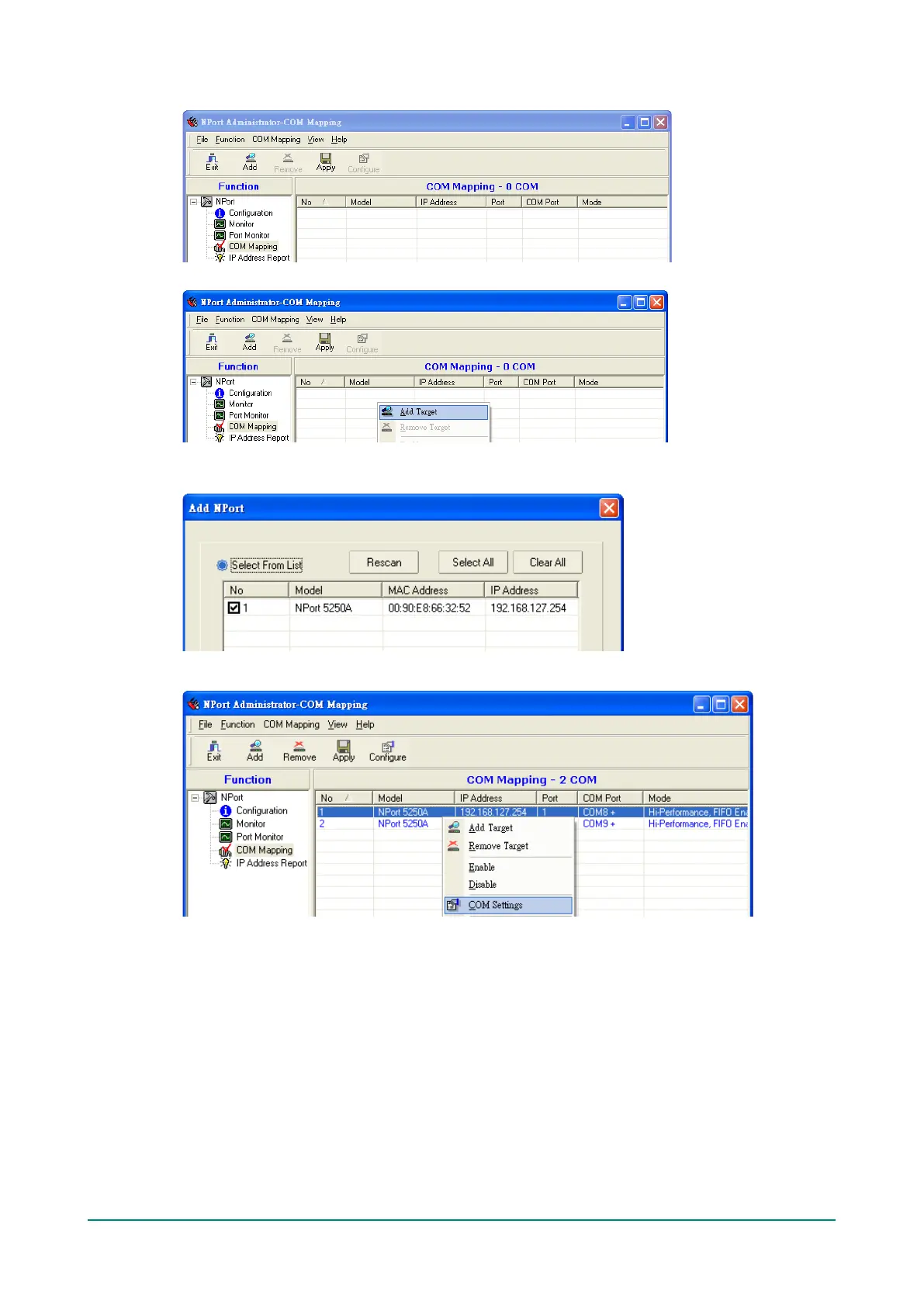
2. Select the COM Mapping function group.
3. Add the target to which you would like to map COM ports.
4. The NPort list that appears is the list generated by the previous Broadcast Search. Select the NPort to
which you would like to map COM ports.
5. Select COM Settings to modify COM No., default setting, etc.


 To Next Page
 Loading...