HDMI, the HDMI logo and High-Definition Multimedia Interface are trademarks or registered
trademarks of HDMI licensing LLC.
5
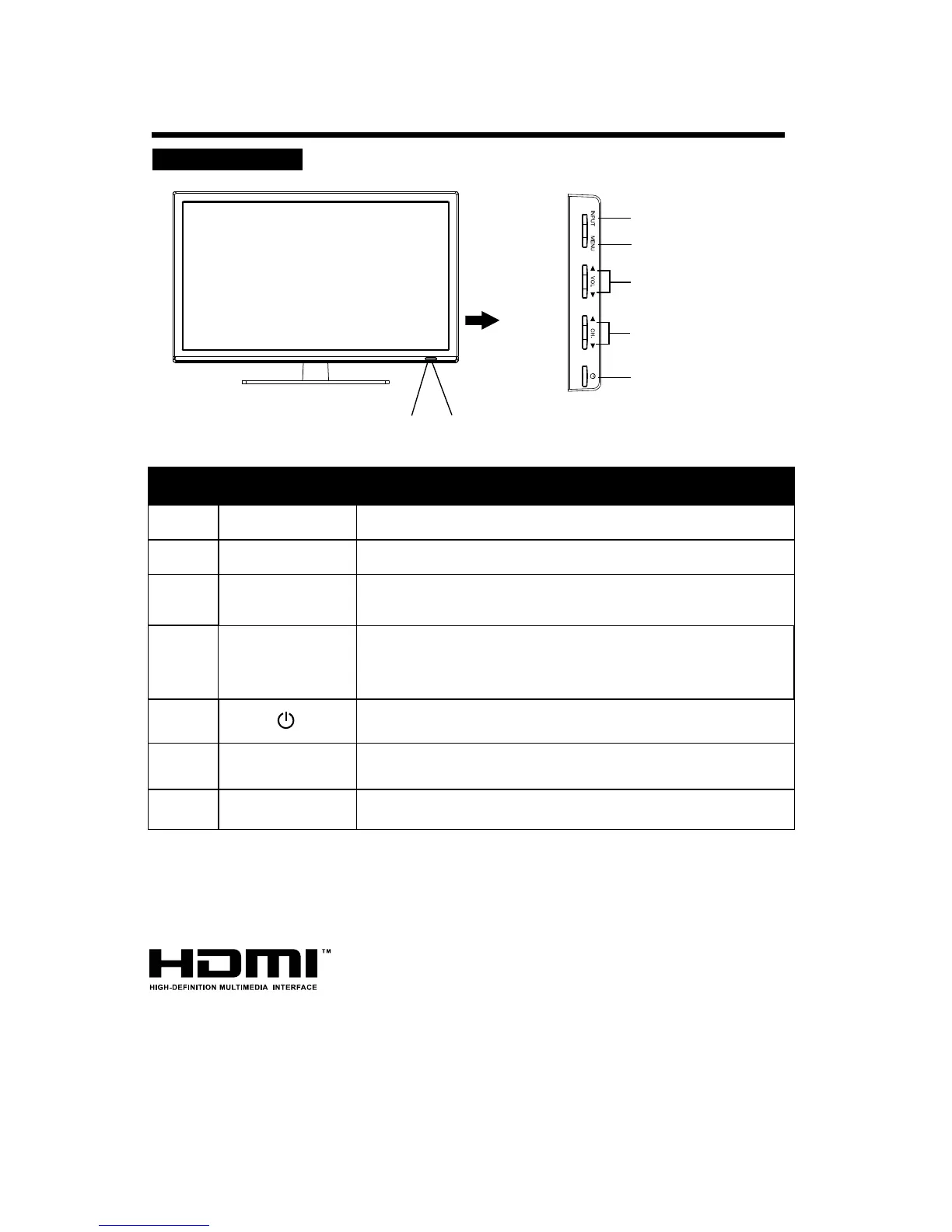
CONTROL BUTTONS AND TERMINALS
FRONT PANEL
Note:
If there is no signal input for 5 minutes , it will switch to standby mode automatically.
z
{
u
v
w
x
y
Description
Button Name
Power Indicator
Illuminates red in standby mode.
Illuminates blue when the LED TV is switched on.
Infrared sensor for the remote control.
Switch on the LED TV when at standby mode and vice versa.
Enter or exit from the menu.
MENU
Select the input signal.
INPUT
NO.
When you are watching the TV programme, press these buttons
to select channel in ascending or descending order. Select the
Adjust the volumes of the selected menu item in the OSD menu.
VOL +/-
Increase or decrease the volume.
upper or lower menu item in the OSD menu.
CH+/-
u
v
w
x
y
z
Remote Sensor
{


 To Next Page