USING THE MENU
CHANNEL SETTING
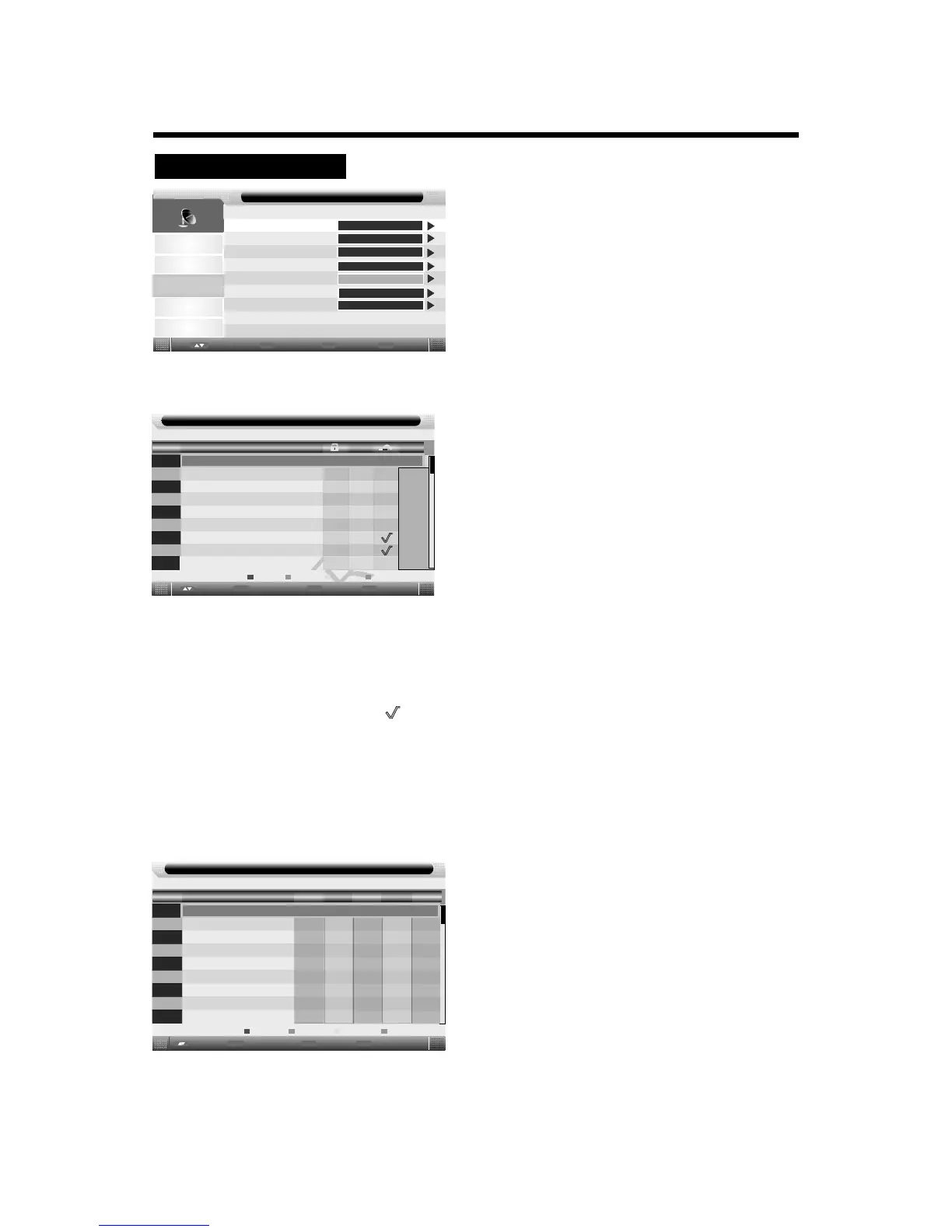
1. Press the TV-MENU button on the remote
controller to display the OSD main menu.
2. Press p/q button to select the Channel menu.
3. Press the ENTER button to enter the menu, then you
can use p/qbuttons to select the sub menu options.
4. Press t/ubutton to adjust.
5. Press the TV-MENU or EXIT button to exit from
the menu.
Picture
Sound
Channel
Feature
Setup
Channel
Enter
Enter
Menu
Return
Exit
Exit
Move
ENTER
ENTER
ENTER
ENTER
ENTER
Italy
Channel Management:
Press button to select Channel Management, then press ENTER button or button to enter.p/q u
Channel - Channel Manager
No.
Program Name
0001
0002
0003
0004
0005
0006
0007
0008
0009
SwapSkip
LockDel
×
Exit
Exit
Move
Page + -
C32
Menu
Return
Type
atv
atv
atv
atv
atv
atv
atv
atv
atv
CH+-
Delete:
Press red button again will cancel delete.
Lock: Press green button to set the current channel to lock. if the current channel already lock, press green
button again will unlock.
Skip: Press yellow button to skip the current channel. Use the cursor buttons to select the channel you wish
to skip. Press yellow button and will be shown at the channel selected. To remove the skip function,
press the yellow button again.
Swap: If one of the stations has been incorrectly placed in the station listing, you may swap it to the correct
position, Using the cursor select the channel to be swaped, press blue button, swap the station to the
new location and press ENTER button, it will swap the station to the new location.
Press red button to set the current channel to delete. if the current channel already delete,
Press TV-MENU button or EXIT button, the successfully updated menu will appear.
Channel - Favorite Manager
No.
Program Name
0002
0003
0004
0005
0006
0007
0008
0009
Favorite1
0001
Fav1 Fav2
Fav3
Fav4
Favorite Management:
Press button to select Favorite Management, then press ENTER button or button to enter.p/q
u
atv
atv
atv
atv
atv
atv
atv
atv
atv
Exit
Exit
Move
Page + -
Menu
Return
CH+-
Press p/qbutton to select channel, press red button to
set to Favorite 1.
Press p/qbutton to select channel, press green button
to set to 2.Favorite
Press p/qbutton to select channel, press yellow button
to set to 3.Favorite
Press p/qbutton to select channel, press blue button to
set to 4.Favorite
If the current channel already be one of your favorite channel,
press red/green/yellow/blue button again will set it to a normal
channel.
13
Channel Management
Favorite Management
Country
Auto Search
DTV Manual Search
ATV Manual Search
LCN On/Off
On
Type
Favorite2
Favorite3 Favorite4


 To Next Page