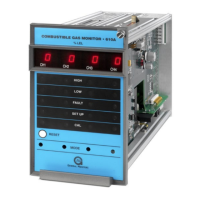
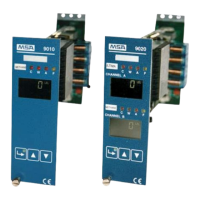
Control Unit Models 9010 LCD and 9020 LCD
4
Contents
MSA
GB
Contents
1 Safety Regulations ...................................................................................................................... 6
1.1 Correct Use .......................................................................................................................... 6
1.2 Liability Information .............................................................................................................. 6
2 Overview of the different types ................................................................................................... 7
3 General Information ..................................................................................................................... 8
3.1 Technical characteristics of the control module ................................................................... 8
3.2 Guide for using the manual ..................................................................................................9
3.3 General Description ............................................................................................................. 9
4 Installation .................................................................................................................................. 11
4.1 Mechanical installation ....................................................................................................... 11
4.2 Electrical installation ........................................................................................................... 11
5 Configuration .............................................................................................................................. 14
5.1 Control Unit Configurations ................................................................................................ 14
5.2 Front Panel ......................................................................................................................... 14
5.3 Configuration with relay outputs ......................................................................................... 15
5.4 Configuration with opto-isolated outputs ............................................................................ 15
5.5 Predisposed for input signal ............................................................................................... 16
5.6 Output Signals .................................................................................................................... 16
5.7 Failure function ................................................................................................................... 17
5.8 Alarms and overrange functions ........................................................................................ 17
5.9 Starting the Control Unit ..................................................................................................... 18
5.10 Jumpers predisposition ...................................................................................................... 19
6 Setting Parameters ..................................................................................................................... 23
6.1 Use of the buttons for access to the codes ........................................................................ 23
6.2 Access Code 1 - Calibration operations ............................................................................. 26
6.3 Access code 2 - Settings for particular operating conditions ............................................. 27
6.4 Access code 3 - Simulation and functionality operations ................................................... 28
6.5 Access code 4 - Configuration operations ......................................................................... 29
6.6 Access code 7 - Setting the address of the peripherals ..................................................... 31
6.7 Access code 52 - Initialisation operations .......................................................................... 31
6.8 Access Code 53 - Default settings ..................................................................................... 32
6.9 Access code 123 - Acceptance of protecting access codes [n° 2; 4; 7; 52; 53] ................. 33
6.10 Operations for the setting, the use and the modification of the password ......................... 34
7 Calibration Procedures .............................................................................................................. 35
7.1 Calibrations ........................................................................................................................ 35
8 Maintenance ................................................................................................................................ 37


 To Next Page