[M-10] -- Relay parameter setting
This menu is used to set the relay operation of the detector.
(1) Press “+” to select the menu item M-10.
(2) Press “ON” and the screen will display the menu for entering password.
(3) Enter the password (see Section 4.4).
(4) If the password is correct, you will enter the next submenu and be able to
multiple numerous parameters. At the first time you enter the next submenu,
scroll menu will show “parameter name = parameter value” . Press the “+” or “-"
the submenu to select the parameter you want to change
(L_ALARM DIR =..., H_ALARM DIR =..., ALARM RELAY =...).
(5) When the parameters that need to be changed are addressed, press “ON” and
then the parameters will flicker to indicate that the device has entered the edit status.
(6) Change the parameters (see Section 4.6).
(7) After the parameters are changed, you can continue to change other parameters
by pressing “+” or “-” , or return to the upper menu M-10 by pressing “OFF” .
Meaning
Adjustable
L_ALARM DIR=
Alarm direction of
low alarm relay
25% range O
2
Others: DOWN
UP, DOWN
UP:
Down:
H_ALARM DIR=
Alarm direction of
high alarm relay
UP
UP, DOWN
Alarm relay energ
-ized, de-energized
DISE
DISE, ENER
DISE: de-energized
ENER: energized
Alarm relay lock
unlock
UNLK
UNLK, LOCK
UNLK: not self-
LOCK: self-locking
Alarm delay
0
0~30 Seconds
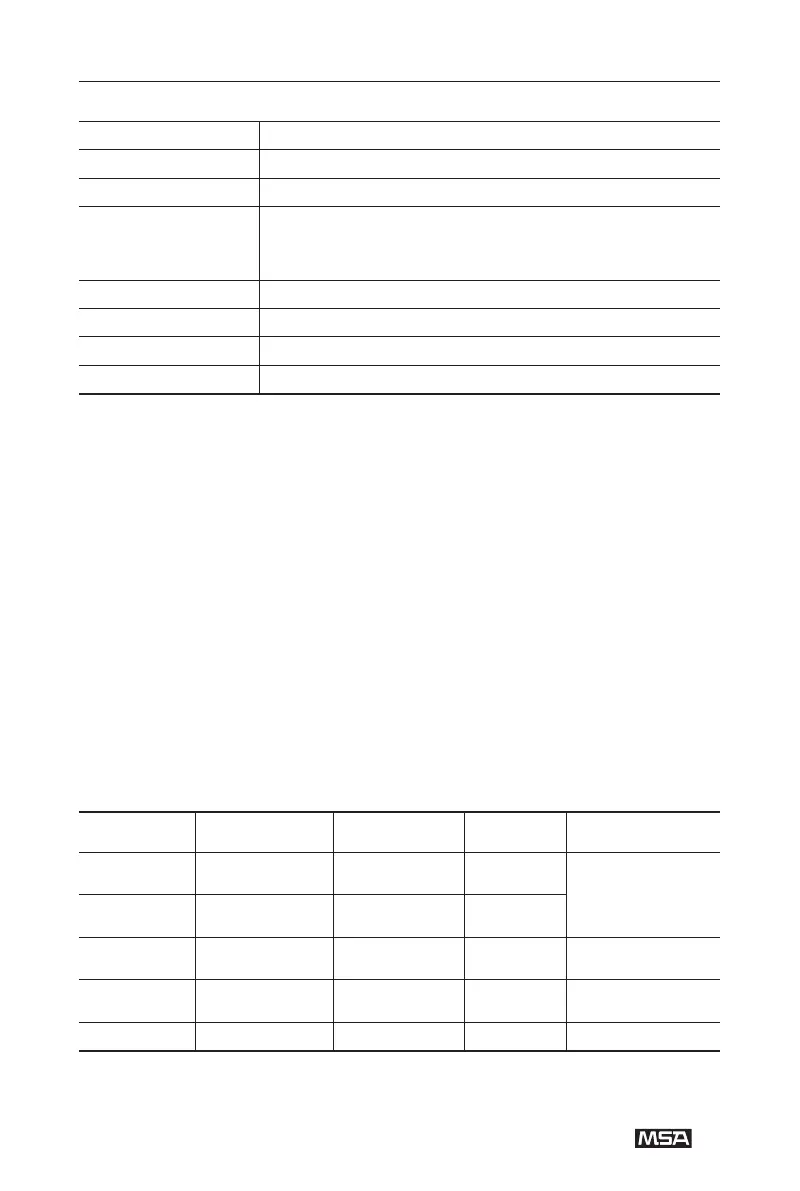
Submenu Parameter Meaning
TEMP= Current temperature display
CURRENT= Output current (4~20)mA display
SIGNAL=
Sensor output signal display ( for CO,H2S,the signal is
approximately 0.5V;for O
2,it is approximately 0.8V;
for ETO,VCM,CH
3OH,it is approximately 0.8V;
all in clean air)
Refer to voltage signal,approximately 0.5V
VCC= 24V voltage
VDD= 5V voltage


 To Next Page