6.2 Configuration File
The driver configuration file (CONFIG.CSV) is in comma-delimited format which can be edited using spreadsheet programs
or any text editor.
Every ProtoCessor has an Ethernet port. The port is used for remote configuration, diagnostics and Ethernet protocol
translation.
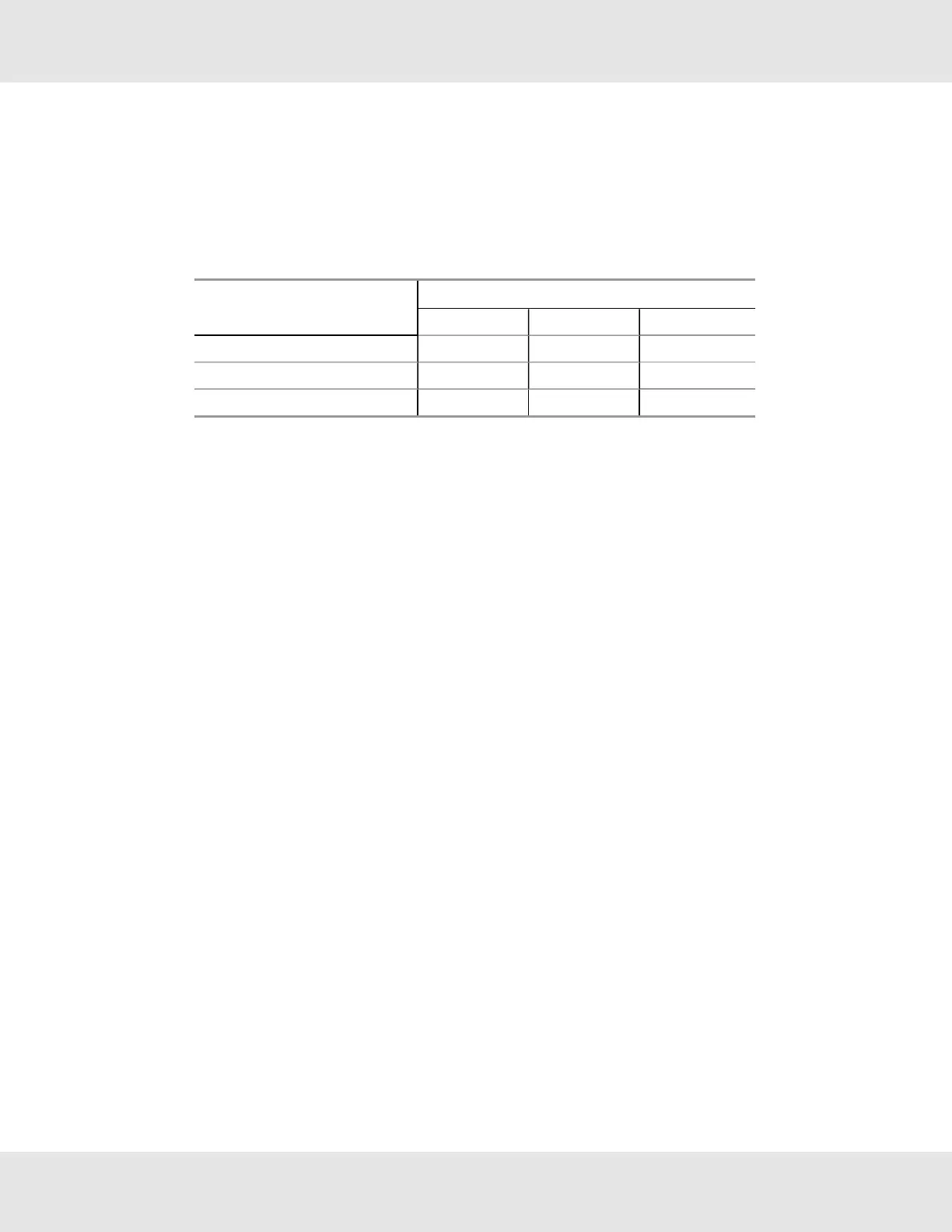
ProtoCessor point counts & certifications:
ProtoCessor
Point Count
Level 1 Level 2 Level 3
FPC-ED2 1200 N/A N/A
FPC-E03 1500 5000 10000
FPC-ED4 1000 2500 4096
The CONFIG.CSV file is loaded into these devices through the Ethernet port. It can be retrieved using the FieldServer
FS-GUI (Graphic User interface) via Ethernet. Refer to the MSA Safety webpage for more information. Contact FieldServer
technical services for assistance in mapping the configuration file to a particular application.
FS-GUI’s most significant features:
• Set IP Address for field protocol.
• Generate XIF files for LonWorks network.
• Transfer files (CSV configuration, firmware, etc.) to and from the ProtoCessor.
• Monitor the ProtoCessor’s internal data and parameters, including Socket communications. These are the
communications between ProtoCessor and the Host CPU. It displays the TX and RX packet communications, as well
as the total number of bad packets.
• Change or update ProtoCessor internal data parameters.
• Delete files on a ProtoCessor.
• Restart the ProtoCessor.
• Create serial and Ethernet data captures for diagnostics.
• View error messages.
ProtoCessor Design Guide 16



 To Next Page