played.
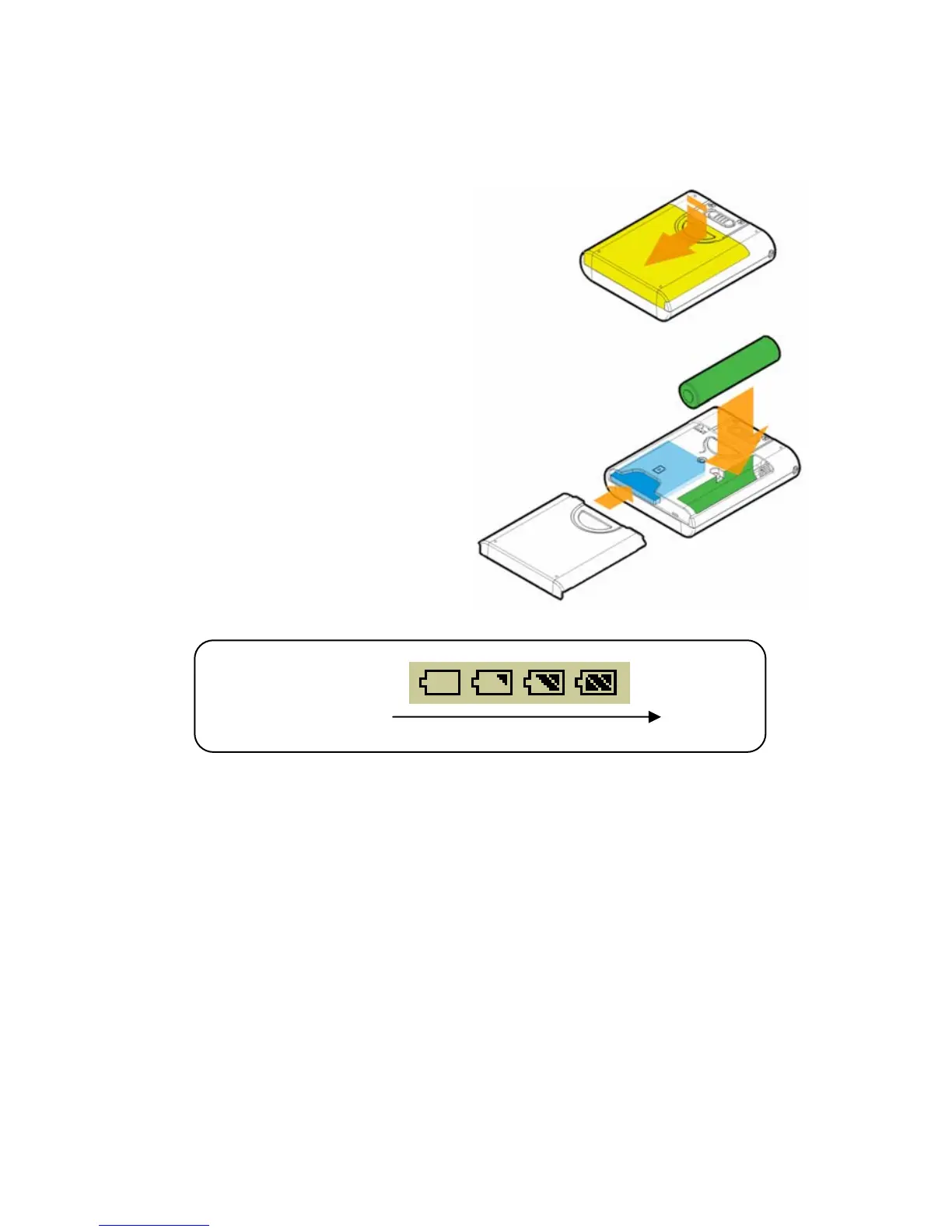
Insert Battery and SD Card
1. Slide the battery cover open you
can see the battery compartment
and a SD card slot.
2. Insert an AAA battery and make
sure the battery is inserted into
the correct alignment.
3. Plug a SD card into the slot.
Note: To eject the SD card, push
and then release the SD card.
4. Close the battery cover.
5. Turn on, and then check the
capacity of the battery.
Battery Status
Empty Full
6. If you cannot read the Battery Status on the Display when the battery is
inserted, please return to step 1 and once again make sure the battery is
inserted into the correct alignment.
Battery Consuming Reference
• Category of Battery: Alkaline AAA battery
• Playing: Average 8 hours for audio playback.
Note: 1. Alkaline battery is recommended when using this Drive.
11



 To Next Page