15
Safety Remove MEGA STICK 511 from Computer
After managing the files or updating firmware, you have to follow the steps to
safety remove the MEGA STICK 511, to prevent system or device corrupt:
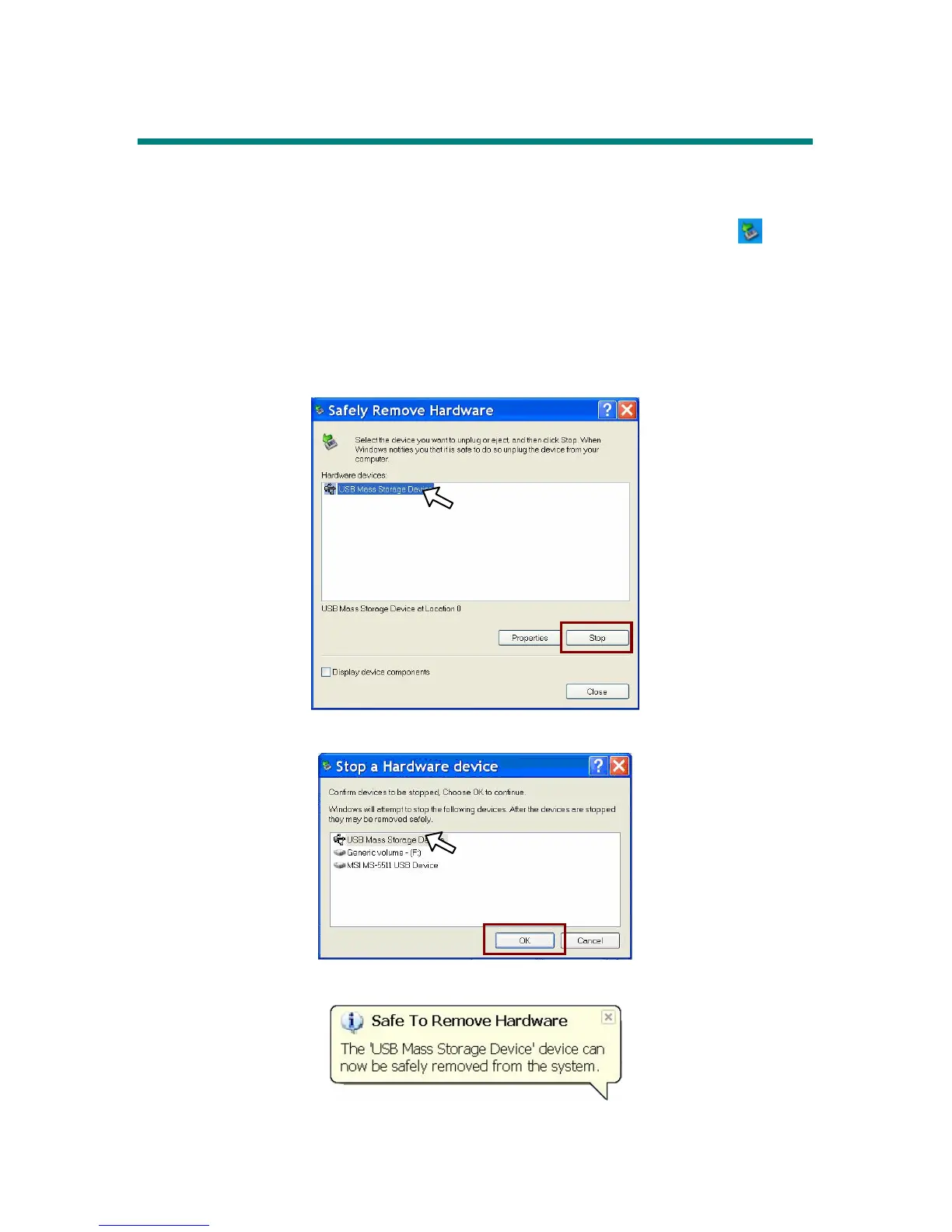
1. While an USB device is connecting to computer, there will be an
icon
on the task bar. Double click the icon to bring the Safely Remove Hardware
dialog box. You can find all the devices connected on the display. To
remove MEGA STICK 511, close all the programs related, and click USB
Mass Storage Device and Stop button.
2. Then you see a window as below, click USB Mass Storage Device and OK
3. There will be the following message, and you can remove the device now.



 To Next Page