21
Repeat Settings
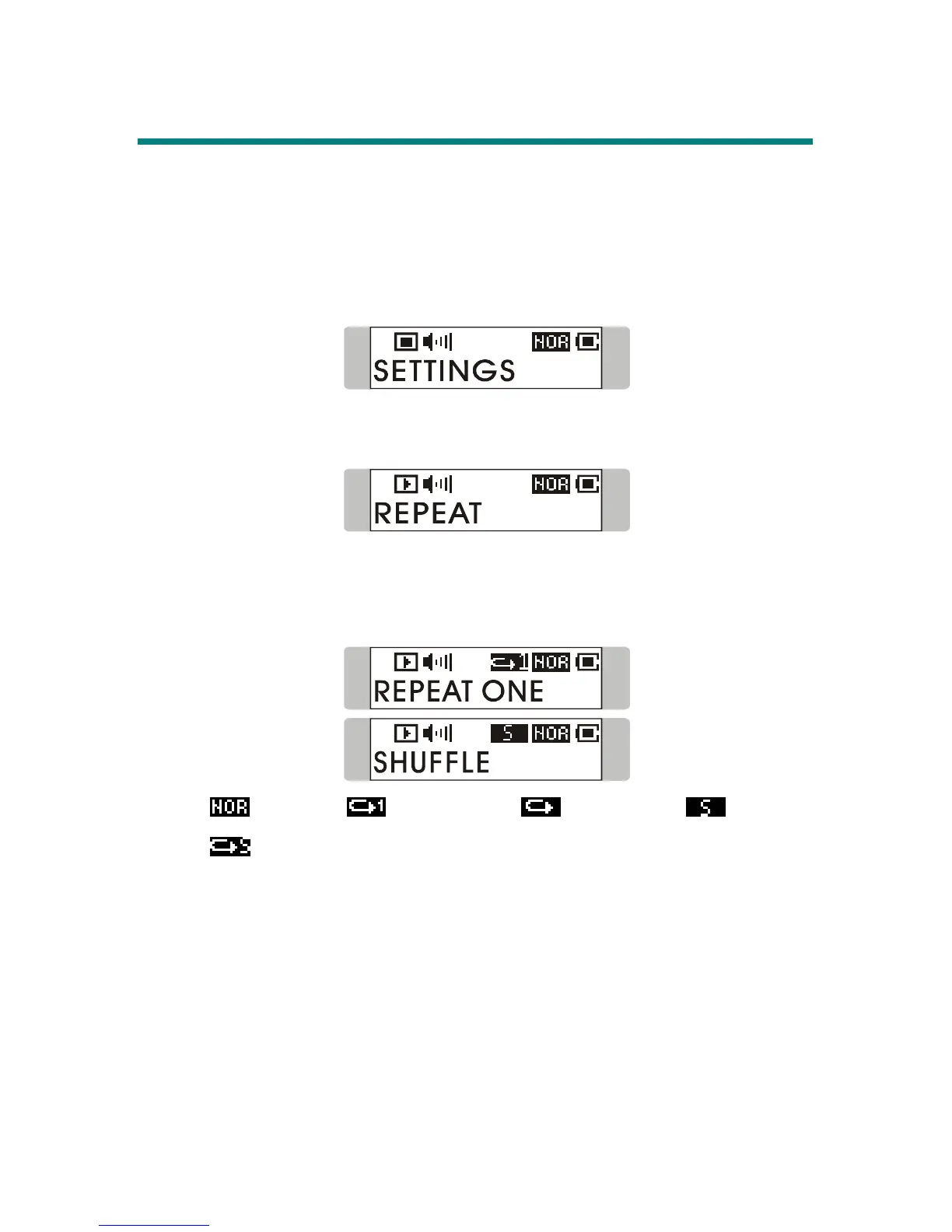
While you are playing music or voice files, you are allowed to select a desired
playback setting from NORMAL, REPEAT ONE, REPEAT ALL, SHUFFLE,
and SHUFFLE REP.
1. Press down Menu button once, and then push Menu button to the right
until SETTINGS appears on the display.
2. Press down Menu button once and you should read the message of
REPEAT appearing on the display.
3. Press down Menu button once, and switch Menu button to the right or
to the left to choose NORMAL, REPEAT ONE, REPEAT ALL,
SHUFFLE, or SHUFFLE REP.
Note:
: Normal, : Repeat One, : Repeat All, : Shuffle,
: Shuffle Repeat; the Shuffle and Shuffle Repeat are only for
MUSIC MODE usage.



 To Next Page