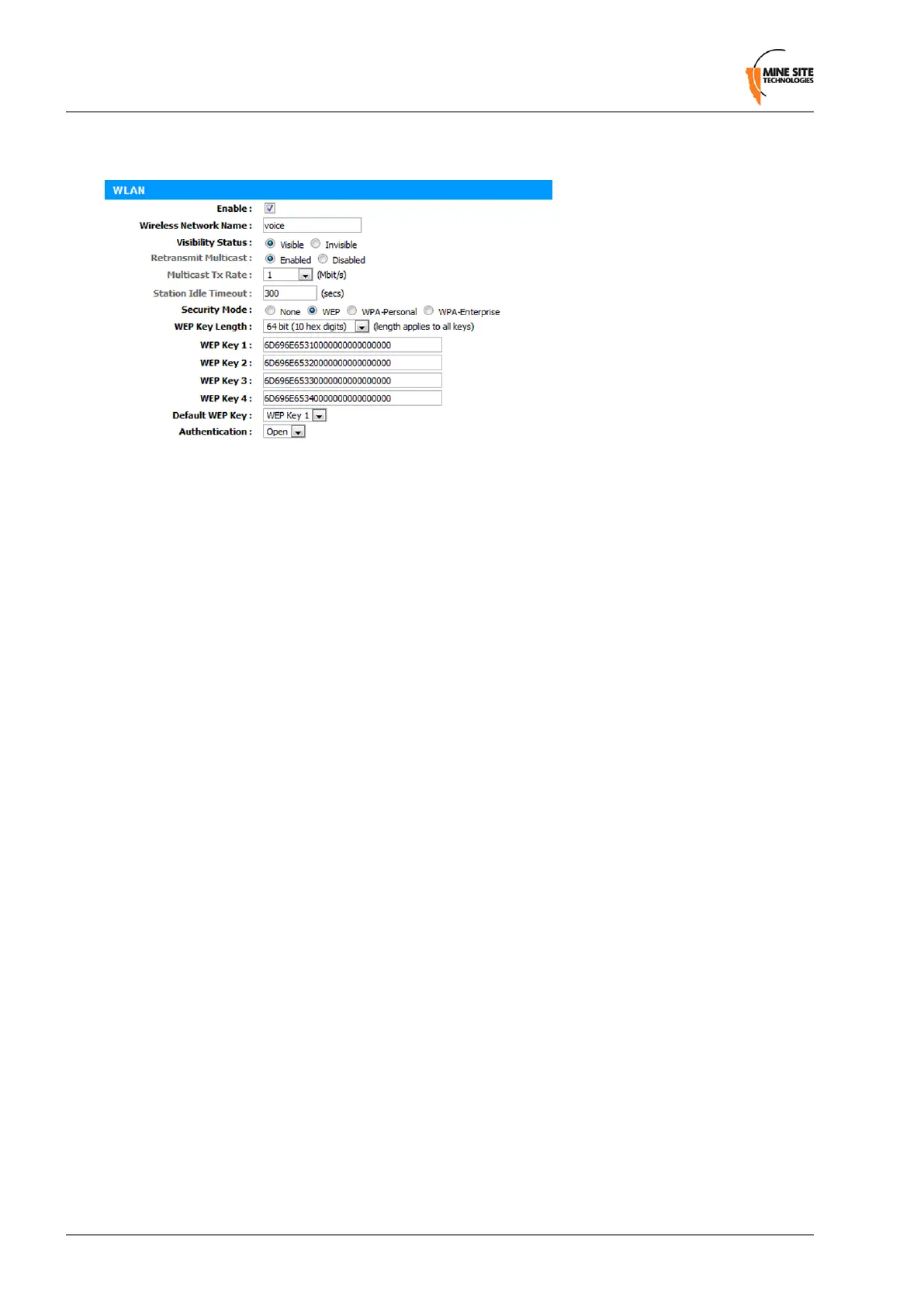
Configuring WEP Security Settings
To congure WEP security settings:
1.
Click on the WEP option button.
2.
In the WEP Key Length drop-down box, select 64bit or 128bit. 128bit is a more secure encryption
type.
3.
Enter the password for the WEP Key number that will be used.
4.
Select the Default WEP Key from the drop-down box.
5.
Select Authentication from the drop-down box. By default it is set to Open, which is more secure
than Shared.
5.5.6 Configuring EAP (Extensible Authentication Protocol)
The Wireless EAP conguration screen is used to congure wireless authentication by a RADIUS server
(as used by WPA Enterprise).
Revision C74NS50 User Guide
Conguration Using the Web Interface


 To Next Page
 Loading...

