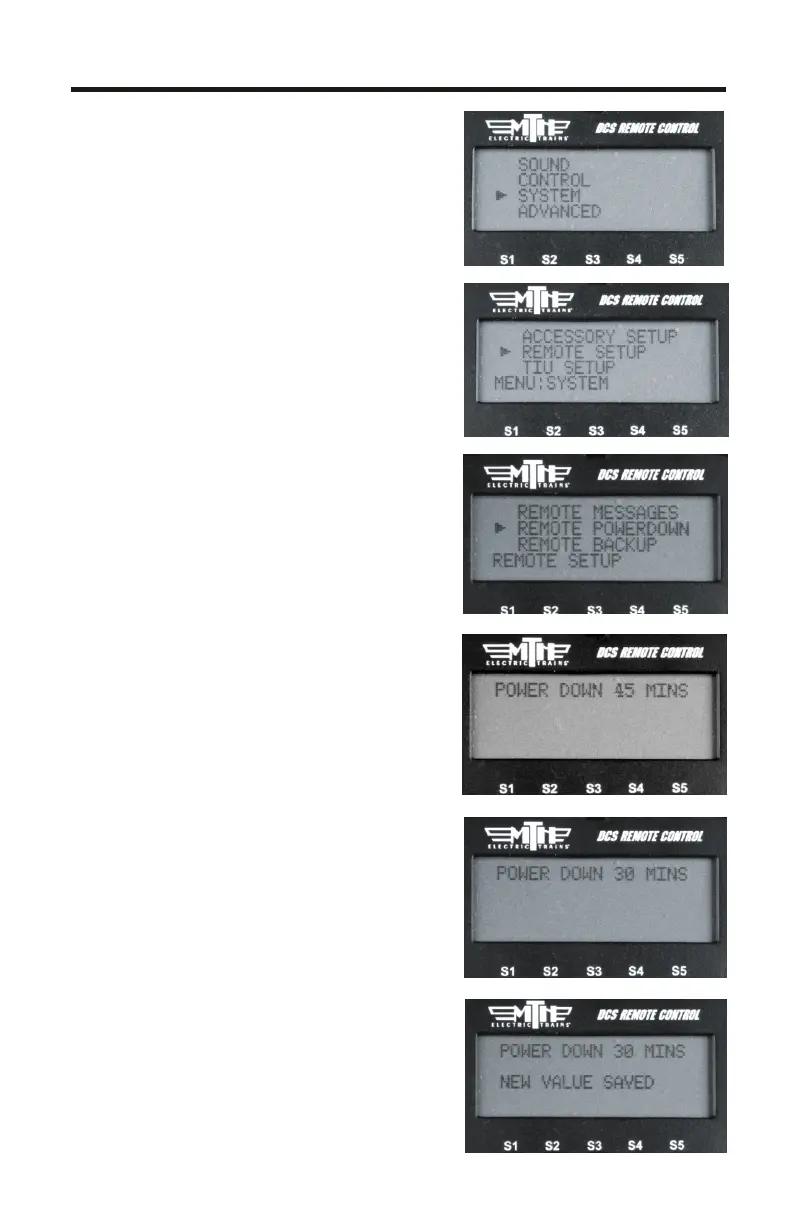
Remote Powerdown
Allows you to adjust the power down
(sleep) timer on your DCS Remote
from 1-60 minutes
1. Press MENU
2. Select SYSTEM
3. Select REMOTE SETUP
4. Select REMOTE POWERDOWN
5. Use the thumbwheel to display the
value you wish to set as your DCS
Remote's sleep timer (from 1-60
minutes)
6. Press the thumbwheel to select the
value. When pressed the remote will
say “NEW VALUE SAVED”
17



 To Next Page