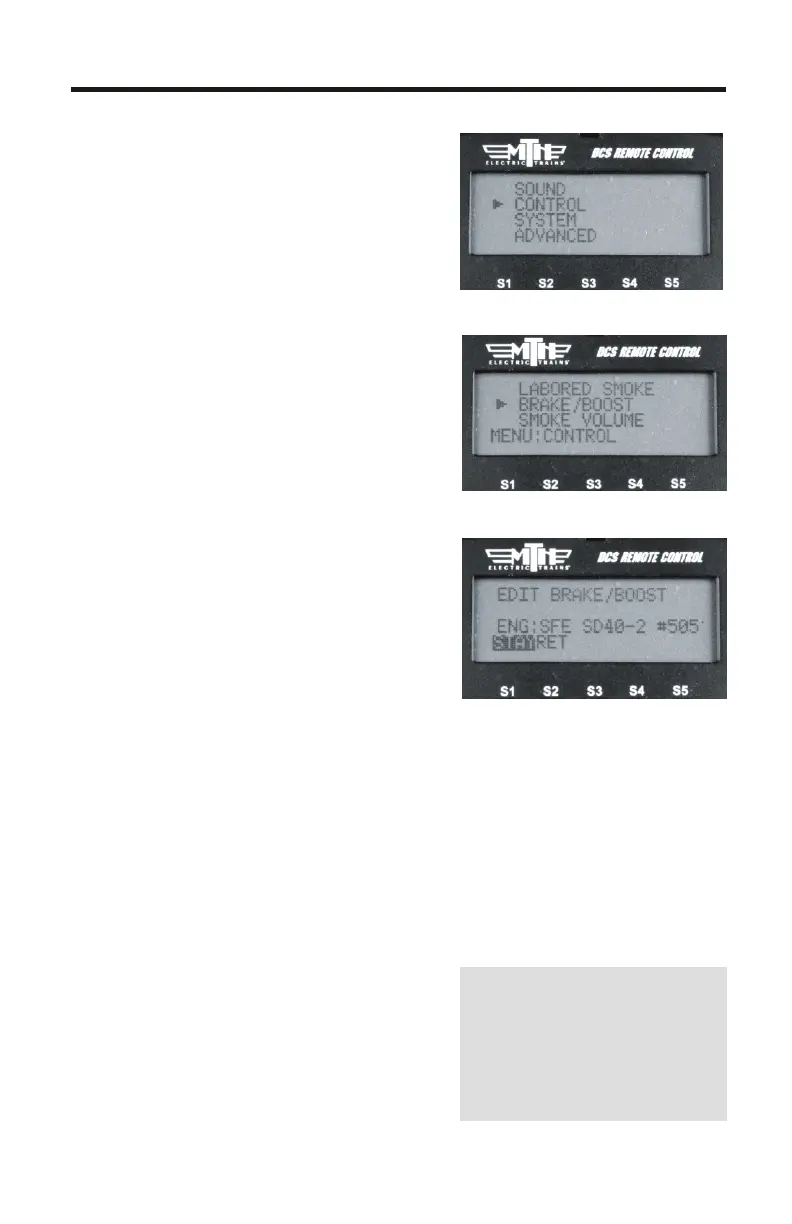
Brake/Boost
The Boost/Brake button can now
function in two different ways, which
you can select from a menu. Select
the “Stay” option and your engine
will remain at the faster (Boost) or
slower (Brake) speed when you
release the Boost/Brake button. But
select “Return” and your engine will
return to its previous speed when the
Boost/Brake button is released (as it
does with previous software
versions).
1. Press MENU
2. Select CONTROL
3. Select BOOST/BRAKE
4. Press either STAY or RET. STAY
holds the engine speed at the
indicated value after releasing either
the Boost or Brake button. For
example, if you have STAY selected
and you are currently going 15sMPH,
pressing and holding the BOOST
button until you reach 25sMPH then
releasing the BOOST button will
make the engine run at 25sMPH. If
you had selected RET, the engine
speed would have gone back to
15sMPH (the speed you started at
when you pressed Boost/Brake).
This works the same way with
BRAKE.
4
NOTE - This setting is a
global setting, so when
you make this setting it
will affect all engines in
the DCS Remote



 To Next Page