Remote Features
All the data you have entered into a
DCS handheld, including engine
setups, routes, scenes, etc., can now
be downloaded to a personal
computer and uploaded back into
any DCS handheld any time you
want. In addition to backup
purposes, this provides an easy way
to clone identical handhelds for
multiple operators on your layout.
1. See the Remote Cloning
Instructions available with the Data
Loader.exe software at
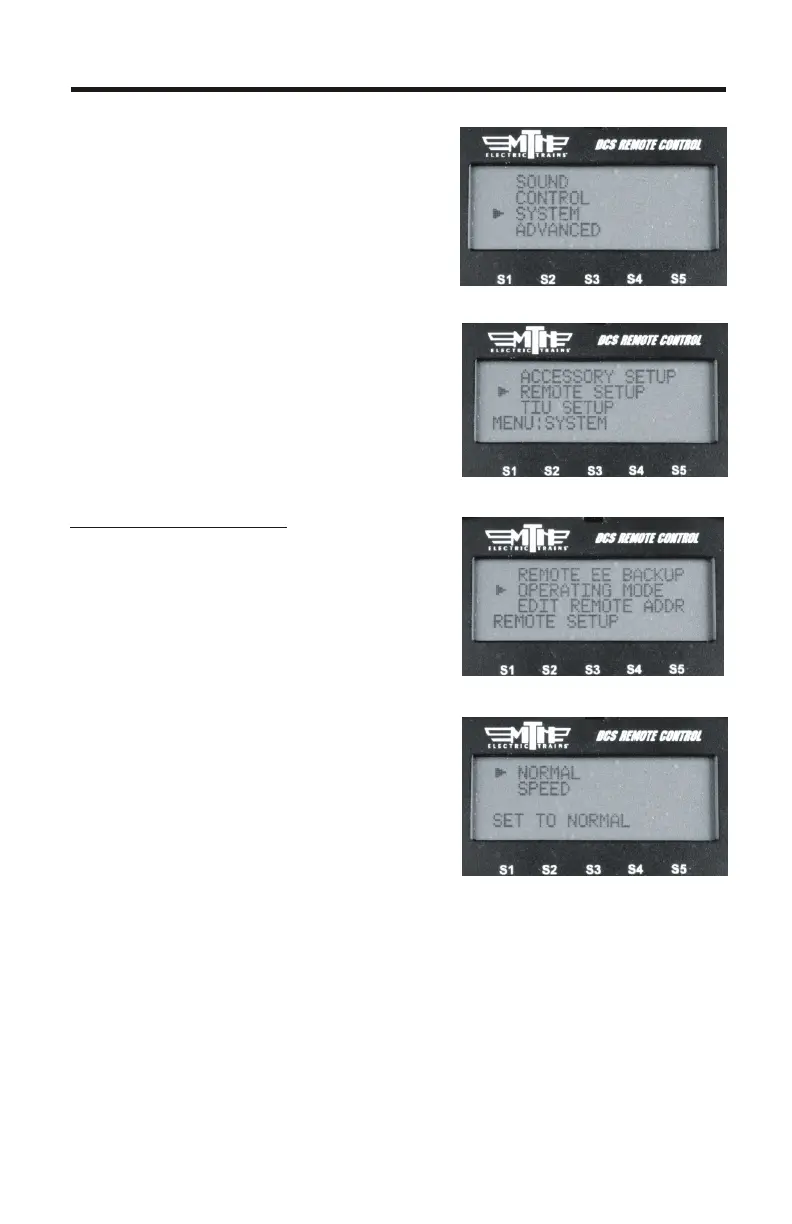
Operating Mode
This allows you to select whether
you want the DCS Remote to operate
in Speed Mode or Normal Mode.
The difference is that Speed Mode
allows for much faster response
times and does not require a
response from the TIU before
moving on to the next command
1. Press MENU
2. Select SYSTEM
3. Select REMOTE SETUP
4. Select OPERATING MODE
5. Select SPEED or NORMAL
www.protosound2.com
16



 To Next Page