Proto-Whistle
This feature allows you to use the thumbwheel to simulate the
engineer's feathering or “quilling” of the whistle/horn rope,
producing a much more realistic whistle/horn sound.
Proto-Whistle is not available on all DCS-equipped engines. This
feature will only work on those engines whose hardware is capable of
utilizing the software feature. Therefore, the softkey acronyms will
not be visible on the DCS screen for locomotives not equipped with
the proper hardware. Downloading the sound set from a locomotive
equipped with the Proto-Whistle feature and loading it into an engine
not factory equipped with the feature will not give the user the Proto-
Whistle feature even though the Proto-Whistle softkey acronyms will
appear on the DCS screen.
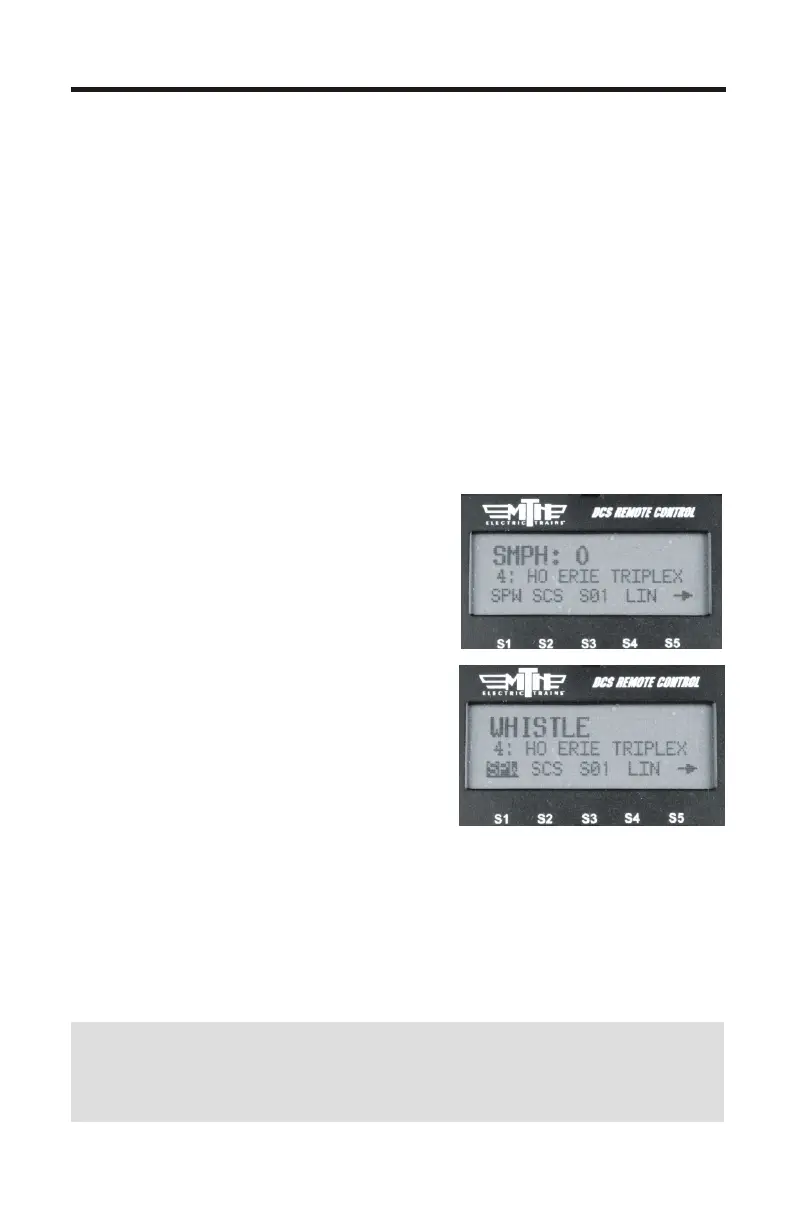
1. Select the Proto-Whistle-equipped
engine from your DCS remote
2. Press the SPW softkey. It will
highlight
3. Your display will change to indicate
that Proto-Whistle is active
4. Scrolling the thumbwheel up one
click at a time will produce the
different whistle tones.
5. Practice varying how fast you scroll
up and down on the thumbwheel and in no time you'll be making
whistle sounds just like a real engineer!
6. To disable the feature and return to controlling your engine press
the SPW softkey again
Note: When Proto-Whistle is active your regular Whistle/Horn
button is inactive as well as the thumbwheel for controlling the speed
of your engine
5



 To Next Page