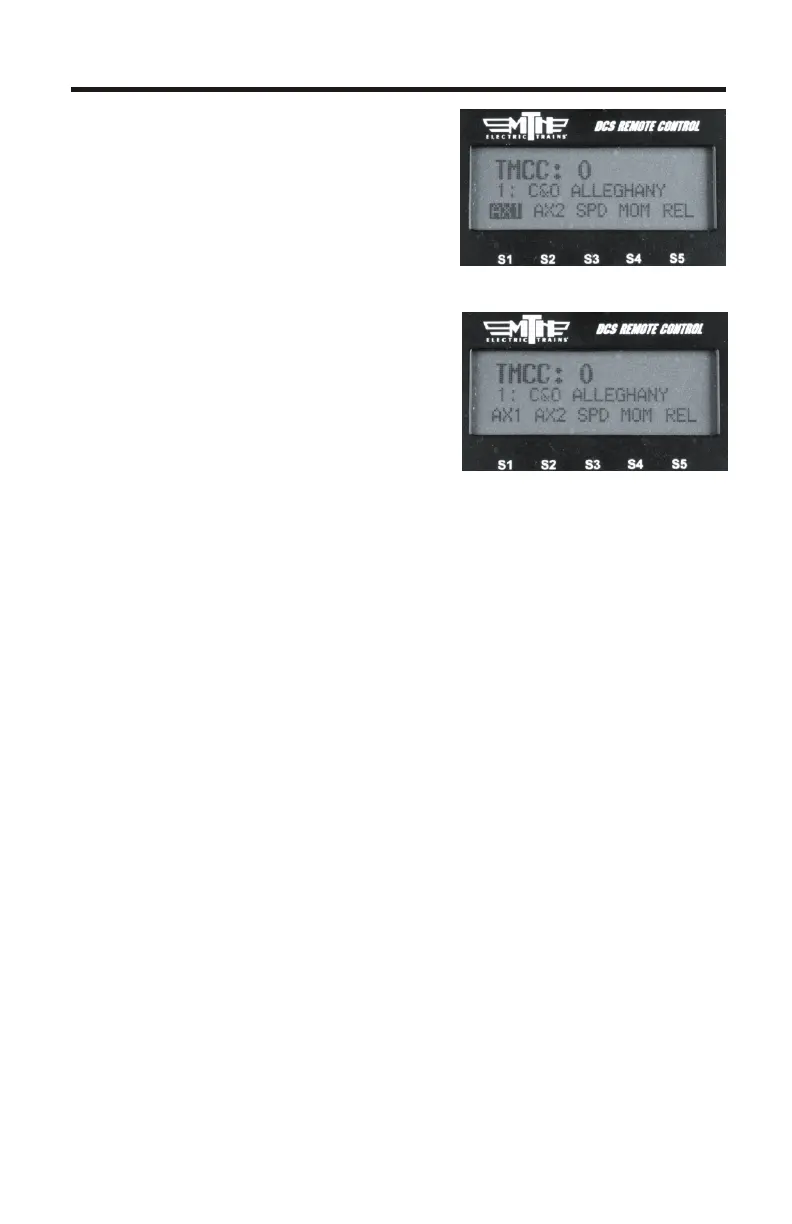
TMCC Engine Control
• DCS Version 4.0 has made a big
improvement to how you operate
your TMCC-equipped engines.
You will notice right away the
screen looks different.
1. AX1/AX2
§Pressing AX1 or AX2 will
highlight that softkey
§Once one of the AX softkeys is
highlighted the numeric keypad is
available for input. For example, if
you wanted to play the Steam
Release sound (Aux1, button 6 on the CAB-1) you would press the
AX1 softkey so it's highlighted, then press keypad button 6 on your
DCS Remote. The Steam Release sound will now play on your TMCC
engine
§If you press the AX1 or Ax2 softkey again it will disable the keypad
(the AX softkey highlighting goes away)
§Below is the button sequence for changing a Train America Studios
Engineer On-Boardequipped engine from 32 to 128 speed steps
(select the EOB engine first from your engine list):
•DIR AX1-AX1-AX1-AX1-AX1-keypad button #2-AX1
th
(You should hear the engine's horn after the 5 AX1 button press and
then again after the keypad #2 press). It's important to note that it
takes two presses of the AX1 softkey on the DCS Remote to equal
one press of the AUX 1 button on the CAB-1 remote
§If you press AX1/2 so that it's highlighted but do not enter anything
on the keypad within 3 seconds the DCS remote will automatically
disable keypad input. Press the AX1/2 softkey twice to re-highlight it.
Your numeric keypad will again be active
14



 To Next Page