Page 39 MTI Part Number 7001-0040
Revision 3.1 August 7, 2014
TOOLS Menu – Calibration Wizard Continued
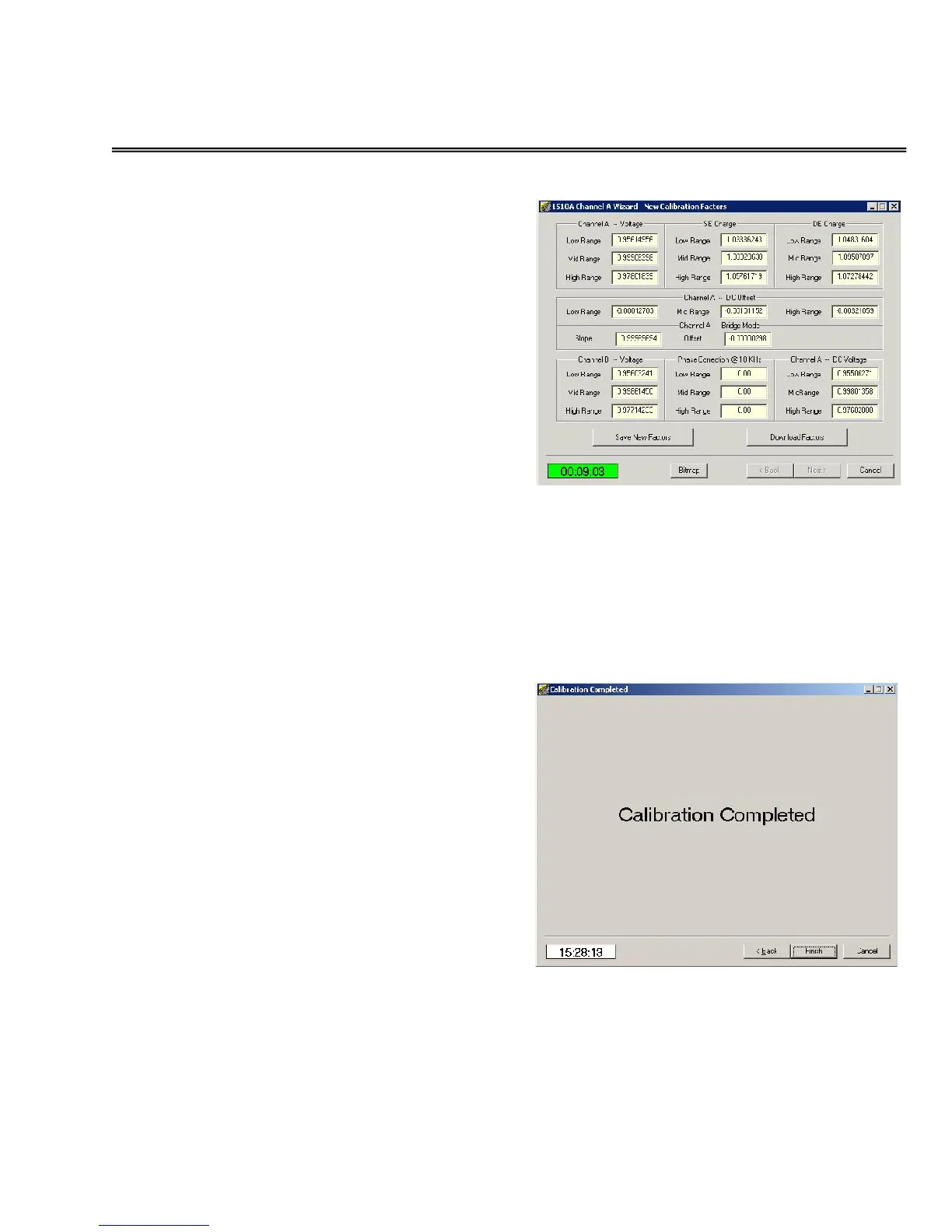
Downloading calibration factors
The calibration procedure is nearly
complete. Review each of the
calibration constants to ensure that the
Low range, Mid range and High range
numbers are near 1.000 and that the
offset factors are near 0.0000. For the
1500CS, verify that the Phase
constants are approximately 3 or 4
degrees. For the 1510A, the phase
constants should be zero.
If all factors are “reasonable” click the
DOWNLOAD FACTORS button to
update the 1500 Series unit memory.
Otherwise, click CANCEL.
If factors were downloaded, verify that the
Download button has grayed-out.
Click the NEXT button.
Calibration has been
completed
Click the FINISH
button.


 To Next Page