Page 40 MTI Part Number 7001-0040
Revision 3.1 August 7, 2014
TOOLS Menu – Calibration Wizard Continued
Verify Calibration Factors
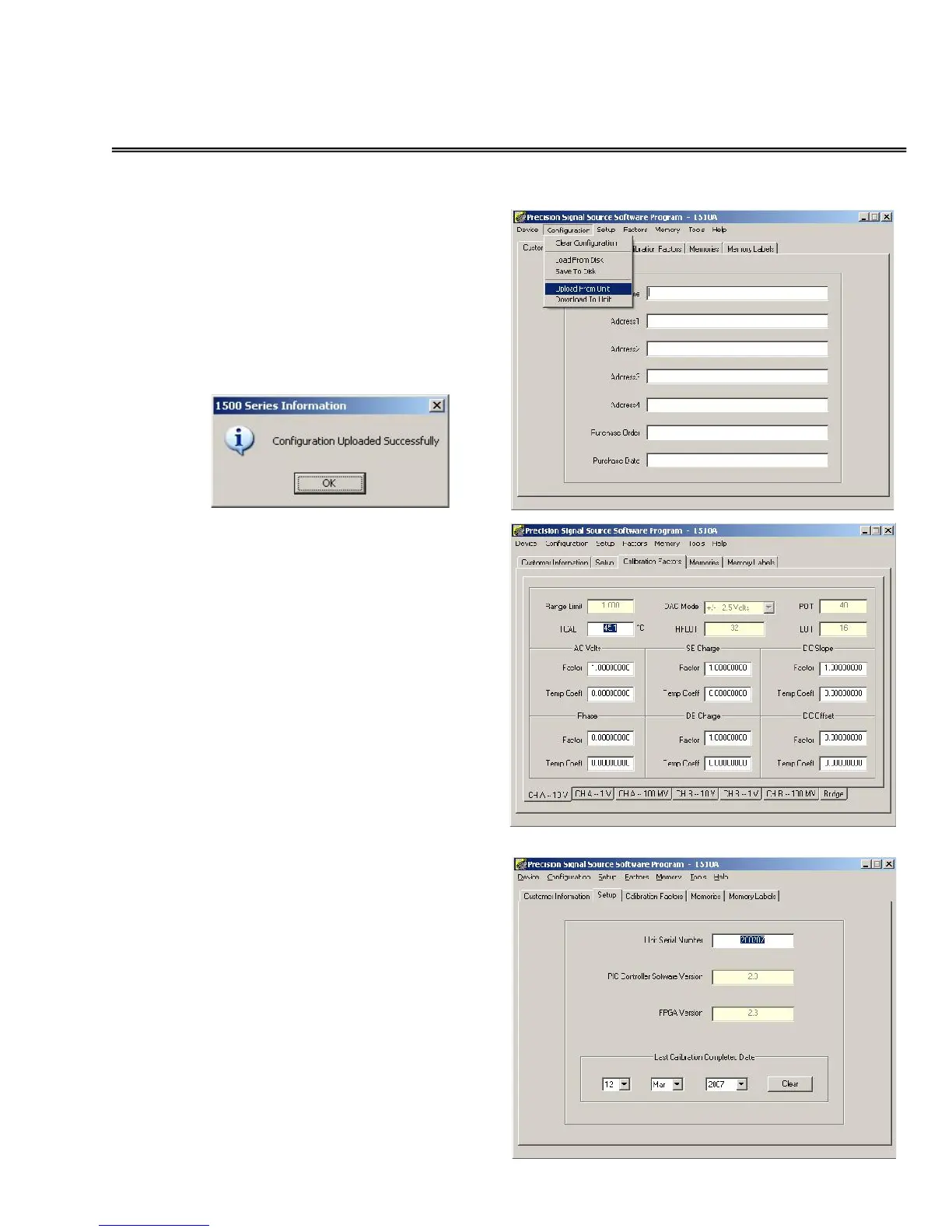
Upload the current factors by selecting
the Configuration-UploadFromUnit
menu function.
After the upload completes, the
following message will be displayed.
Select the Calibration Factors tab
and examine the current factors for
each voltage range.
To verify that the calibration date has
been updated in the 1500CS, click on
the Setup tab.
It is also recommended that at the
conclusion of calibration, the
configuration be saved on the
computer. To do this, use the
Configuration – Upload from Unit
function, and then the Configuration
- Save to Disk function.


 To Next Page