SineBravo Operators Manual
11
Operating Elements
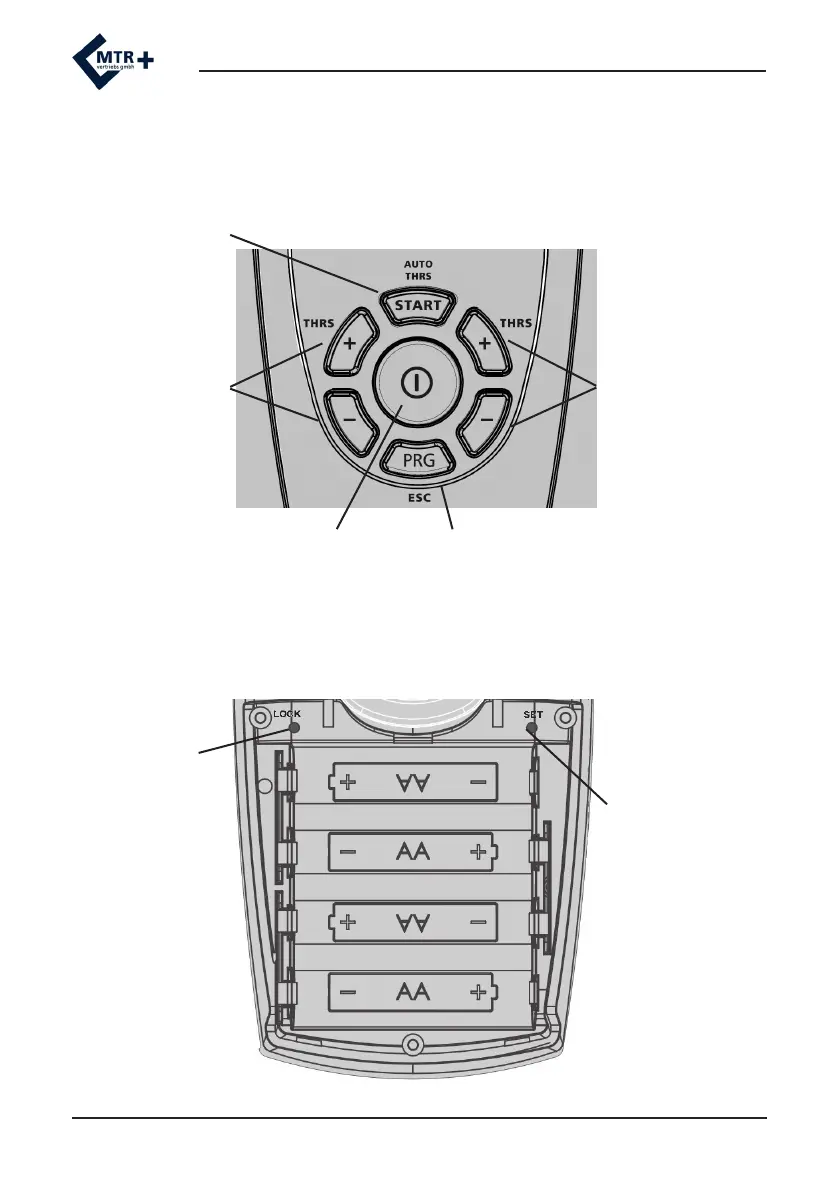
The START-button allows the choice of automatic (press) or manual (hold the button pressed
for 3 seconds) threshold-setting. The program will start after the START-button is released.
Central On-/O-button
+/- buttons for
threshold-setting for
channel A, as well
as for selection of
parameters in the
programming-mode
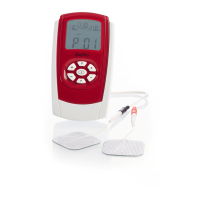
Battery Compartment
LOCK-button for
xing one single
program and for
connection to a PC
Scheme for placement of 4 batteries type AA
+/- buttons for
threshold-setting for
channel B, as well
as for altering the
parameters in the
programming-mode
SET-button for
basic settings and
conguration of
custom programs
PRG-button for choice of program and for
storing the individual parameters. Hold PRG
for one second to select next phase.


 To Next Page