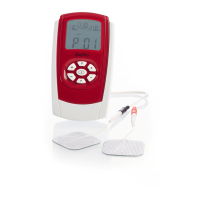
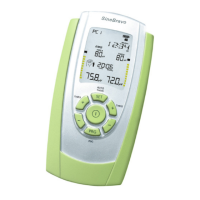
SineBravo Operators Manual
17
Preparation of Therapy
1. Open the battery compartment at the back by pushing down the lid and insert 4 batteries type
AA by hand according to the instructions on page 38. Then shut the battery-compartment.
2. Please make sure, that SineBravo is switched o (no indication in LCD-display). Connect
the single pin ends of the electrodes plugs to the surface-electrodes or to a probe.
3. Insert one electrode-lead wire into the jack named A in the head of the device. If you want to
use both channels, insert the second lead wire into jack B.
4. Additionally, put the black round EMG-reference plug into the bigger round jack, named
“EMG-REF” and connect the other ends to a skin-electrode.
5. Furthermore, make sure that all plugs t completely into the electrode sockets as well as the
device sockets.
6. If you are using a probe, lubricate it with water or a gel suitable for electrotherapy. Don’t use
oil, ointment or cream, since all these have an insulating eect.
7. Now place all electrodes according to the instructions of your therapist on clean unwounded
skin only. If you are using a probe, place the single reference-electrode onto the hip bone and
then insert the probe.
8. Now switch on SineBravo by pressing the central ON/OFF-button once. You can see the
version of the device for 3 seconds before the last used program appears, showing its
parameters.
9. If the device is not locked to a single program, you can select your kind of treatment by
repeatedly pressing the PRG-button. There are two preset and three custom EMG programs
available.
10. After selecting a program, you always see the “Home Screen” rst, with all information
regarding the parameters, that can be used in this program. If you want to use the automatic
threshold-setting, no adjustments have to be done and the treatment starts by pressing the
START-button shortly. Follow the work/rest prompts, so the device can automatically select
the threshold setting for you.
If you prefer manual threshold setting, please hold the START-button pressed for three
seconds. Then you can set the threshold by use of the +/- buttons.
11. EMG is susceptible for interference. For best results do not use lead wires longer than 1.5 m
and keep the lead wires as close to your body as possible.


 To Next Page