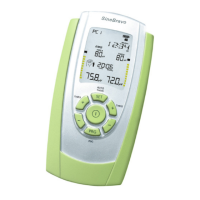
SineBravo Operators Manual
23
Therapy-Control
The additional software is required to transfer the stored data to a PC. An electronic patient
record, which allows the graphical presentation of the treatment progress, can easily be created.
This optional software is very helpful for therapists for statistical and/or scientic reports. To
transfer the data please insert the USB dongle, which is supplied with the software, into the
computer.
Please note that data transfer is not possible while checking the daily statistics on the unit.
The transfer of stored data can be done as follows:
• Start the optional software on your PC.
• Create or select the patient.
• Switch on the SineBravo.
• Press the LOCK-button once, if the device was locked – or twice if it was unlocked.
• The arrows in the display of the unit will ash one after the other indicating the statistics
can be transferred to the computer. The statistics will be transferred to the computer when
the screen displays the number of days and time used. “NO-STATS” will be displayed if
the memory is empty.
• The data transfer starts automatically and your PC shows a message that it is receiving the
statistics.
• The transfer may take several minutes depending on the amount of data stored in the
SineBravo memory.
• When the statistics have been uploaded, the software will conrm that the transfer is
complete.
The values in the therapeutic memory are retained after they are read, so it is possible to check
therapy at any time, without losing information.
If the memory needs to be deleted, it can be done with the following button-combination. Press
the LOCK button in the battery compartment until DAYS (of treatment) is displayed and then
successively SET, B +, B- and SET once again. You will hear a sound to conrm the statistics
are being deleted. This action will also reset all custom settings in the freely customizable
programs back to the original state.
The deletion of the memory is required:
- before the device is used by a new patient


 To Next Page