4 Operation
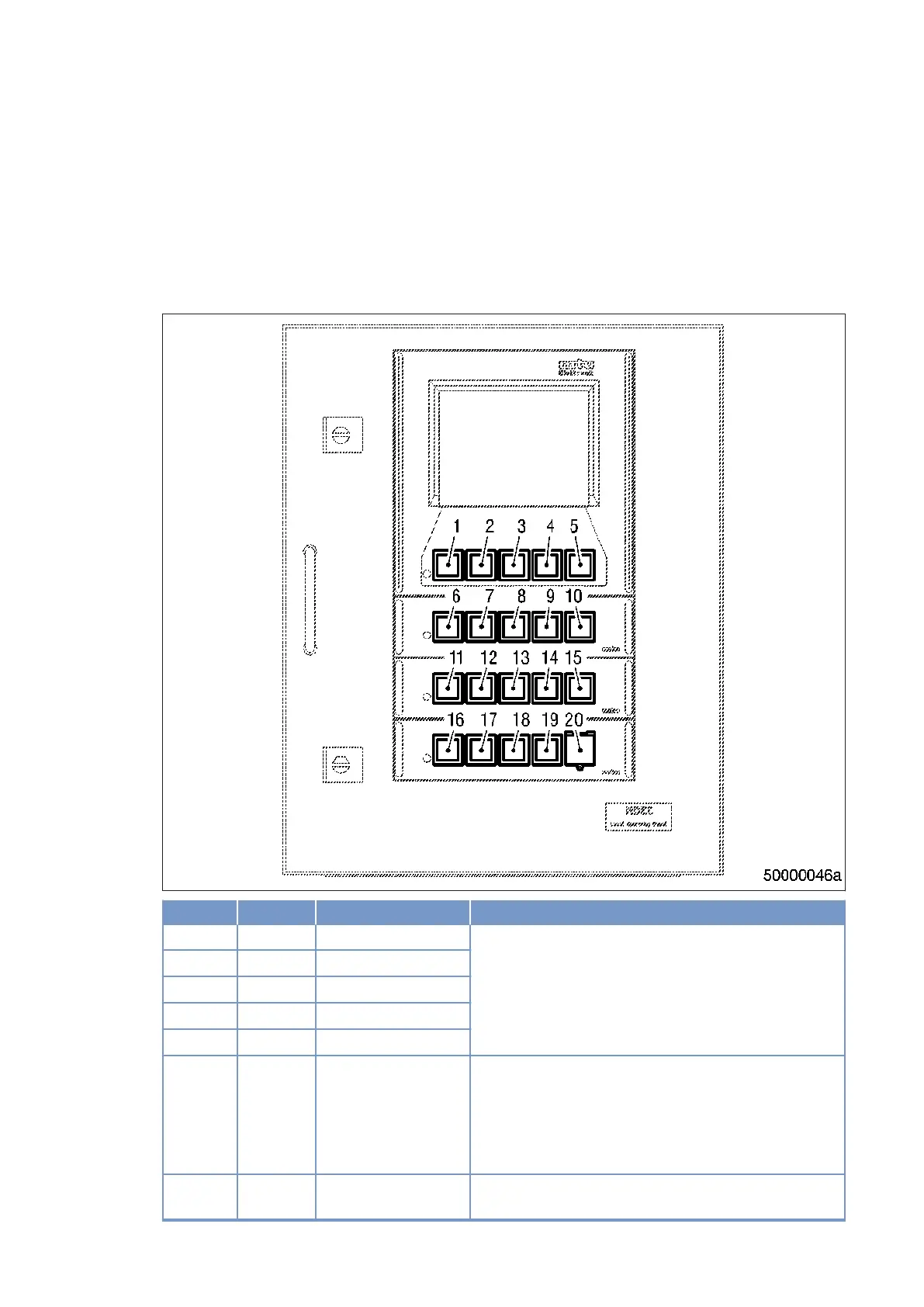
4.1 LOP controls (without Blue Line automation system)
LOP – Controls
Item Color Inscription Meaning / Function
1 White F1 Function keys to control the man-machine interface.
Functions vary and are displayed on the LCD screen.
2 White F2
3 White F3
4 White F4
5 White F5
6 White ALARM ACKNOWL Pressing the button the first time stops alarm signaliza‐
tion.
Pressing the button a second time acknowledges an ac‐
tive alarm.
LED (spot) lights up when an alarm is active.
7 White DIM ↑ Holding down the button increases LCD background il‐
lumination.
50 | Operation | MW15407/14E 2012-02
TIM-ID: 0000008860 - 004



 To Next Page