8
support@mubview.com
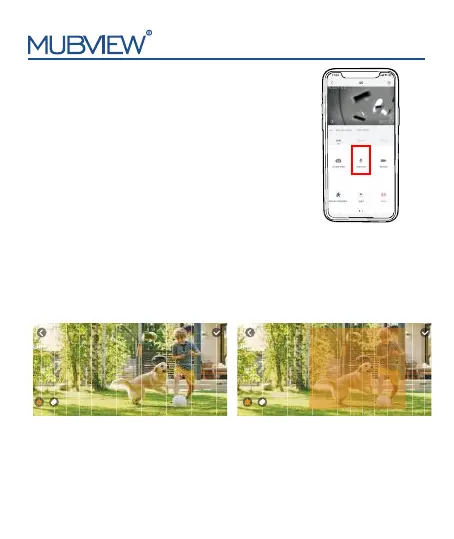
9.Two-Way Audio
1. Open microphone permission of
Mubview
App.
2. Press the intercom button to start speaking.
3. Release the intercom button to listen
.
You can set weekly/daily alarm schedule in alarm management. The
camera will only be triggered and send alarm notification during your
schedule period.You can set 4 alarm time periods at most.
10.2 Alarm Plan
10. Alarm Management
2022-07-19 16:00 2022-07-19 16:00
10.1 Alarm area
The alarm area has 16*9 grids. Select the area you want to monitor.
To set alarm area, enter camera setting page - "Alarm Management" -
"Alarm Area". You will only receive alarm notification that appears in the
grid area.


 To Next Page