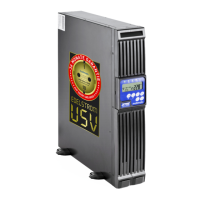
MD-1000I / MD-2000I / MD-3000I Table of Contents
MD Series 4
Table of Contents
1. Introduction ................................................................................................................ 6
1.1 Forward ........................................................................................................................ 6
1.2 Scope of Application .................................................................................................... 7
1.3 Availability of Manual ................................................................................................... 7
1.4 Symbols Used in Manual ............................................................................................. 7
1.5 Information Liability .................................................................................................... 11
1.6 Warranty Terms ......................................................................................................... 11
1.7 Transport and Storage ............................................................................................... 13
1.8 Installation Site........................................................................................................... 14
2. Safety Instructions................................................................................................... 16
2.1 Introduction ................................................................................................................ 16
2.2 Compliant Use............................................................................................................ 16
2.3 Avoiding Personal Injury and Property Damage ........................................................ 17
2.4 Environmental Protection ........................................................................................... 17
2.5 Power Connection...................................................................................................... 18
2.6 Operation ................................................................................................................... 19
2.7 Handling Batteries...................................................................................................... 19
2.8 Maintenance, Service and Malfunction ...................................................................... 20
3. Explanation of USB Function.................................................................................. 22
3.1 Front Panel................................................................................................................. 24
3.2 Rear Panel ................................................................................................................. 29
3.3 Installation Changes................................................................................................... 40
3.4 Operational Modes and Voltage Settings................................................................... 46
4. Storage and Unpacking ........................................................................................... 50
4.1 UPS Storage .............................................................................................................. 50
4.2 Unpacking the UPS.................................................................................................... 50
5. System Function ...................................................................................................... 52
5.1 UPS Schematic Diagram ........................................................................................... 52
5.2 UPS Operating Mode - Normal .................................................................................. 54
5.3 Overload..................................................................................................................... 56
5.4 Inverter ....................................................................................................................... 57
5.5 Inverter - Excessive Internal Temperature ................................................................. 58
6. UPS Installation and Hook-Up ................................................................................ 60
6.1 UPS Connection......................................................................................................... 60
6.2 UPS Communication Interfaces ................................................................................. 62
6.3 Equipment Connection Sequence.............................................................................. 63



 To Next Page