Video Grabber DisplayPort User Manual - ver. 1.2
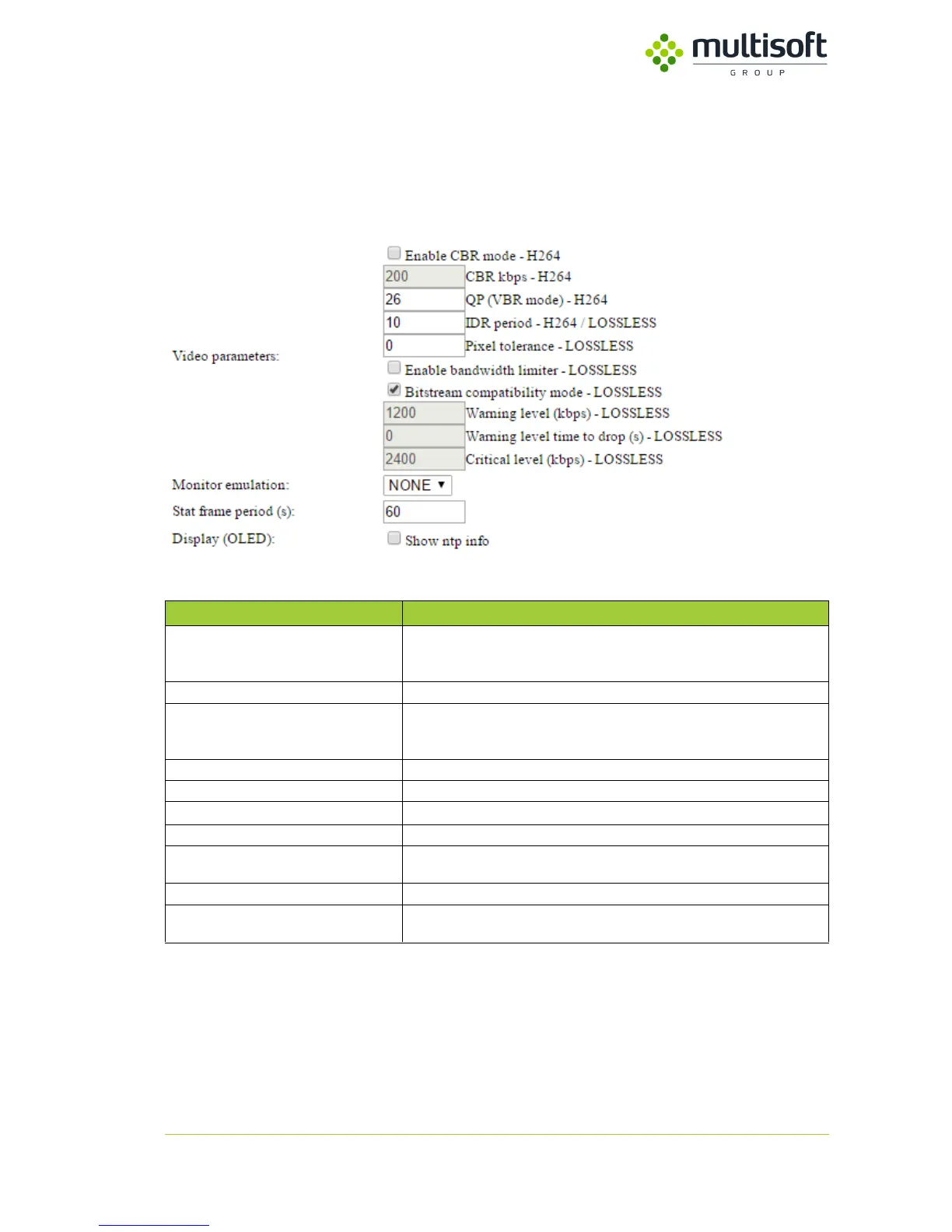
4.2.2. Video parameters
Section designed for change settings of encoded (H.264 / LOSSLESS) video parameters. Default values
are adequate for typical hardware configurations and no changes is necessary. Please note that any
change of these values, will affect on the amount of transferred data.
Figure 14. Video parameters section
4.2.2.1. Video parameters description
Table 6. Video parameters description
Constant bit rate (CBR) encoding persists the set data rate to your setting over
the whole video clip. Use CBR only if your clip contains a similar motion level
across the entire duration.
Define constant bit rate in kbps.
Variable bit rate (VBR) encoding adjusts the data rate down and to the upper
limit you set, based on the data required by the compressor. VBR takes longer
to encode but produces the most favorable results.
IDR period – H264 / LOSSLESS
Allowing to define Instantaneous Decoding Refresh in H.264/LOSSLESS video
Pixel tolerance - LOSSLESS
Number of pixel for dithering compensation.
Enable bandwidth limiter - LOSSLESS
Enabling warnings, when bandwidth is higher, than a preset value
Bitstream compatibility mode - LOSSLESS
Enabling Lossless backward compatibility mode (old version)
Warning level time to drop (s) - LOSSLESS
Defines number of second(s), when frames exceeding bandwidth limitation,
will be dropped.
Critical level (kbps) - LOSSLESS
Defines critical level of LOSSLESS bandwidth
Allowing to set Monitor emulation, when screen is not connected. This option
is designed for future use.



 To Next Page