EasyManua.ls Logo

MULTISPAN MDT-4310N - User Manual

MULTISPAN MDT-4310N
4 pages
Print Icon
To Next Page IconTo Next Page
Loading...
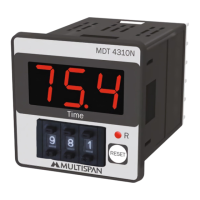
3 Digit 7 seg 0.56”,LED Display
Front & back key
Multi Range
Start Pulse M/S
Output
Input
Power Supply
Operating
Temperature
Relative
Humidity
100 to 270V AC,50/60 Hz, Approx 3VA
0°C To 55°C
Up to 95% RH Non Condition
Model
Display
Size (mm)
Panel Cutout
Range
Reset
48 (H) X 48 (W) X 70 (D) mm
44 X 44 mm
MDT-4310N
1 Relay 1C/O,5A,230V AC
IP-65 (Front side) As per IS/IEC 60529 : 2001
Protection
Level
(As per request)
OPERATING MANUAL
DIGITAL TIMER
MDT-4310N
Technical Specification
www.multispanindia.com
Page-1
MDT-4310N
+ + +
- - -
9 9 9
3 digit Display
Relay operation
indication
reset key
Thumbwheel
Switch
MDT 4310
MDT 4310N
RESET
R
Time
+ + +
- - -
9 9 9
1 2 3
Question and Answer IconNeed help?

Do you have a question about the MULTISPAN MDT-4310N and is the answer not in the manual?

Summary

Technical Specifications

Operating Instructions

Connection Diagram

Illustrates the wiring terminals and connections for the digital timer.

Parameter Setting Guide

Time Unit Configuration

Configure time units like seconds, minutes, or hours for the timer.

Time Range Selection

Set the timer's operational time range based on selected units.

Operating Relay Mode

Select between delayed ON and delayed OFF operational modes.

Counting Direction

Choose the timer's counting direction: UP or DOWN.

Memory Function

Enable or disable the timer's memory function (YES or NO).

Auto Manual Mode

Configure auto or manual mode based on time settings.

Output State

Define the timer's output state for specific conditions.

Safety and Installation

Warning Guidelines

Specific warnings for preventing electric shock and electromagnetic interference.

Installation Guidelines

Instructions for safe and proper installation of the built-in timer.

Mechanical Installation

Details on panel cutout, fitting, and wiring terminal connections.

Maintenance Instructions

Guidance on cleaning and upkeep of the equipment.

Summary

Technical Specifications

Operating Instructions

Connection Diagram

Illustrates the wiring terminals and connections for the digital timer.

Parameter Setting Guide

Time Unit Configuration

Configure time units like seconds, minutes, or hours for the timer.

Time Range Selection

Set the timer's operational time range based on selected units.

Operating Relay Mode

Select between delayed ON and delayed OFF operational modes.

Counting Direction

Choose the timer's counting direction: UP or DOWN.

Memory Function

Enable or disable the timer's memory function (YES or NO).

Auto Manual Mode

Configure auto or manual mode based on time settings.

Output State

Define the timer's output state for specific conditions.

Safety and Installation

Warning Guidelines

Specific warnings for preventing electric shock and electromagnetic interference.

Installation Guidelines

Instructions for safe and proper installation of the built-in timer.

Mechanical Installation

Details on panel cutout, fitting, and wiring terminal connections.

Maintenance Instructions

Guidance on cleaning and upkeep of the equipment.

Overview

This document serves as the operating manual for the MDT-4310N Digital Timer, providing comprehensive instructions for its function, usage, installation, and maintenance.

Function Description

The MDT-4310N is a digital timer designed for various applications requiring precise time control. It features a 3-digit, 7-segment LED display for clear time indication. The device offers multi-range timing capabilities, allowing it to be configured for different time units and ranges. It supports both delayed ON and delayed OFF operating relay modes, providing flexibility in controlling external devices. The timer can count in either an UP or DOWN direction, depending on the application's requirements. Additionally, it includes a memory function, which can be enabled or disabled, to retain settings or current time values during power interruptions. The MDT-4310N also supports an auto-manual mode, where the operation can be set to manual if the time is zero, or auto if the time is within a specified range (1-99 seconds).

Usage Features

The MDT-4310N is designed for straightforward operation and configuration.

Basic Operation:

  1. Power On and Time Setting: Upon powering on the instrument, the desired time can be set using the thumbwheels located on the front panel. These thumbwheels allow for intuitive adjustment of the time value according to the specific application.
  2. Starting the Timer: To initiate the timer's operation, a short circuit needs to be established between terminal numbers 6 and 7. This action triggers the timer to begin its countdown or count-up sequence based on the configured settings.
  3. Resetting the Timer: The timer can be reset in two ways:
    • By pressing the front reset key on the device.
    • By establishing a short circuit between terminal numbers 7 and 8. Both methods return the timer to its initial state, ready for a new timing cycle.

Parameter Setting: The MDT-4310N offers a detailed parameter setting mode to customize its behavior. This mode is accessed by pressing the reset key while powering on the device, which will display the default parameter.

  1. Navigation: The left-most thumbwheel is used to navigate through different parameters.
  2. Value Adjustment: The reset key is used to change the value of the currently selected parameter.

The configurable parameters include:

  • Time Unit: Allows selection of the time unit (seconds, minutes, or hours) for the timer.
  • Time Range: Defines the maximum timing range for the selected unit. For example, in seconds, it can be set to 999, 99.9, or 9.99 seconds; similarly for minutes and hours.
  • Operating Relay Mode: Configures the relay to operate in either Delayed ON or Delayed OFF mode, determining when the output relay activates or deactivates relative to the set time.
  • Counting Direction: Specifies whether the timer counts UP or DOWN.
  • Memory Function: Enables or disables the memory feature, which dictates whether the timer retains its state after a power cycle.
  • Auto Manual Mode: Configures the timer's operational mode. If the set time is 0, it operates in manual mode. If the set time is within the range of 1-99 seconds, it operates in auto mode.

After making all necessary parameter adjustments, pressing the reset key again will save the settings and exit the parameter setting mode.

Installation Guidelines: The MDT-4310N is a built-in type equipment, designed to be integrated into a main control panel.

  1. Panel Cutout: Prepare the panel with the specified dimensions (44x44 mm cutout for a 48x48x70 mm device).
  2. Mounting: Secure the unit into the panel using the provided clamp.
  3. Environment: Ensure the installed equipment is not near heat sources, caustic vapors, oils, or other unwanted by-products.
  4. Wiring: Use crimp terminals (M3.5 screws) for wiring the terminal block. Tighten screws with a torque of 1.2 N.m. Do not connect to unused terminals.
  5. Power Supply: The device operates on 100 to 270V AC, 50/60 Hz, consuming approximately 3VA.
  6. Input/Output: It accepts a start pulse (M/S) as input and provides a 1 Relay 1C/0.5A, 230V AC output.
  7. Protection: The front side of the device has an IP-65 protection level, as per IS/IEC 60529:2001, making it dust-tight and protected against water jets.
  8. Safety: Always ensure the power supply is OFF during wiring. Use adequately rated and twisted wires for connections to minimize electromagnetic interference. The cable for the power source should have a cross-section of at least 1mm² and insulation capacity of at least 1.5kV. A circuit breaker or mains switch should be installed between the power source and the supply terminal for easy ON/OFF control, positioned conveniently for the operator.

Maintenance Features

Proper maintenance ensures the longevity and reliable operation of the MDT-4310N.

  1. Regular Cleaning: The equipment should be cleaned regularly to prevent blockage of its ventilating parts.
  2. Cleaning Agents: Use a clean, soft cloth for cleaning the device. Avoid using isopropyl alcohol or any other harsh cleaning agents, as these may damage the unit.
  3. Component Replacement: The fusible resistor within the device should not be replaced by the operator. Any internal repairs or component replacements should be handled by qualified service personnel.

For further support or updated operating information, users are encouraged to contact the manufacturer's helpline or email address provided in the manual.

MULTISPAN MDT-4310N Specifications

General IconGeneral
TypeDigital Timer
Input Voltage100-240 VAC
OutputRelay
MountingPanel Mount
Operating ModesInterval
Power Supply100-240 VAC
Output Relay5A @ 250VAC
Operating Temperature-10°C to 55°C

Related product manuals