Chapter 3 - Using the Front Panel
18
Multi-Tech Systems, Inc. MT5600BA/BL Series User Guide
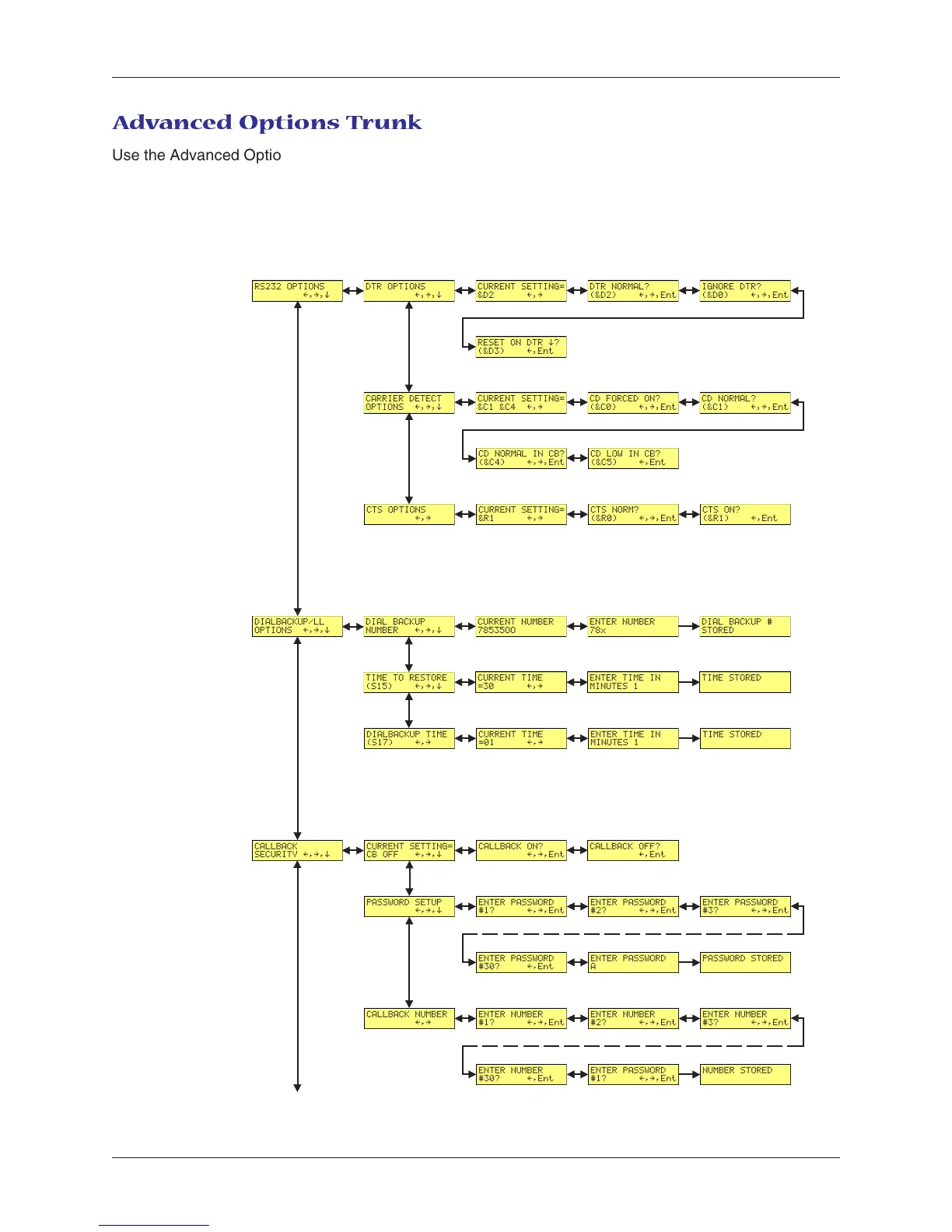
Adv anced Options Trunk
Use the Advanced Options Trunk to configure RS-232, dial backup, and callback security options. When
entering a number or password, use the á
ß
and â buttons to select a character or digit. To go to the
next position, press the à button. To backspace or to exit, press the à button several times.
Limbs Branches Twigs
Continued on next page














 To Next Page