Chapter 3 - Using the Front Panel
21
Multi-Tech Systems, Inc. MT5600BA/BL Series User Guide
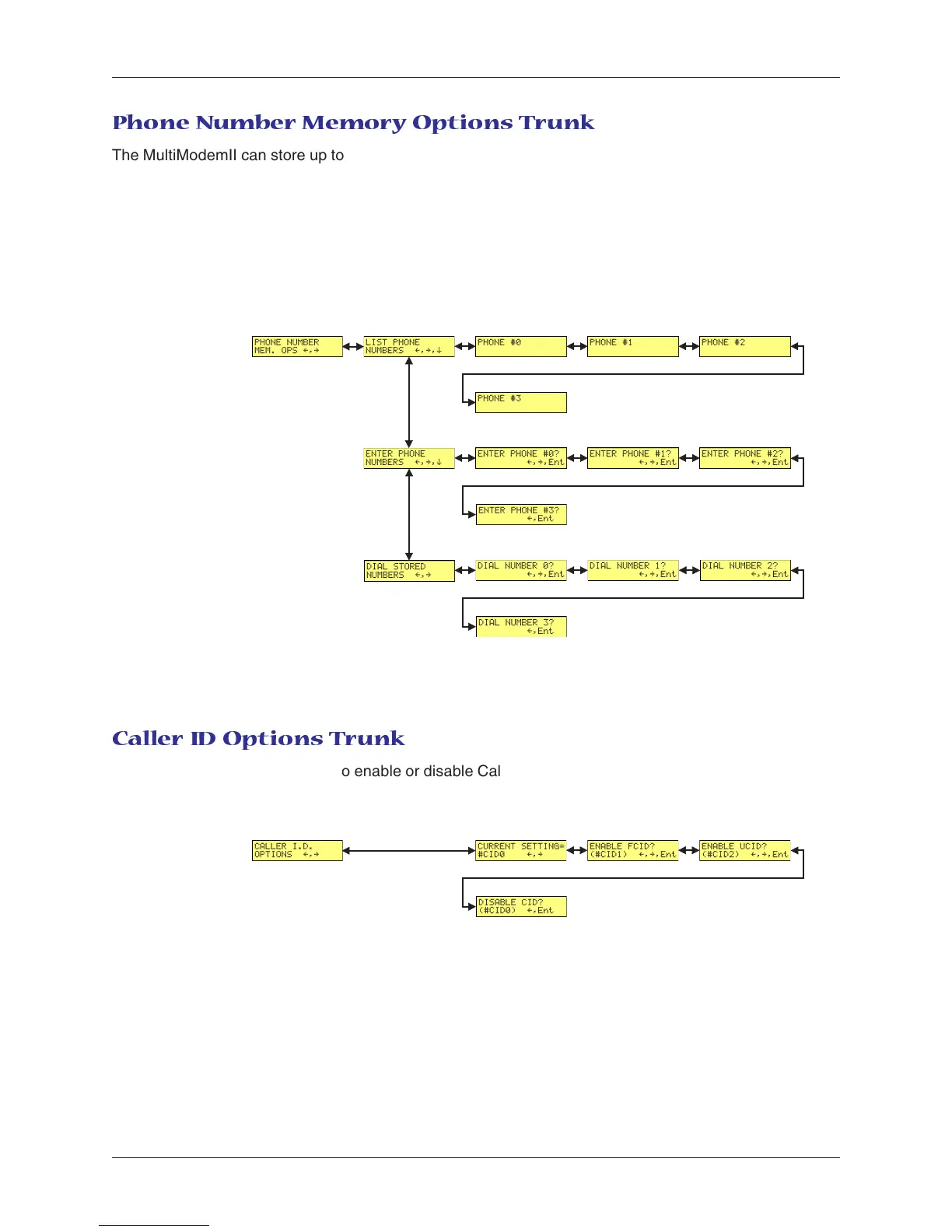
Phone Number Memory Options Trunk
The MultiModemII can store up to four telephone numbers for speed dialing. Use the Phone Number
Memory Options Trunk to store, list, and dial these numbers. When entering a number, use the á
ß
and
â buttons to scroll through the available digits and dialing commands. To go to the next position, press
the à button. To backspace or to exit, press the à button several times.
Limb Branches Twigs
Caller ID Options Trunk
Use the Caller ID Options Trunk to enable or disable Caller ID operation.
Limb Branches Twigs














 To Next Page