Page10of18
IMC01 Maintenance Manual
Version 1.03
3.2. Bill Jam
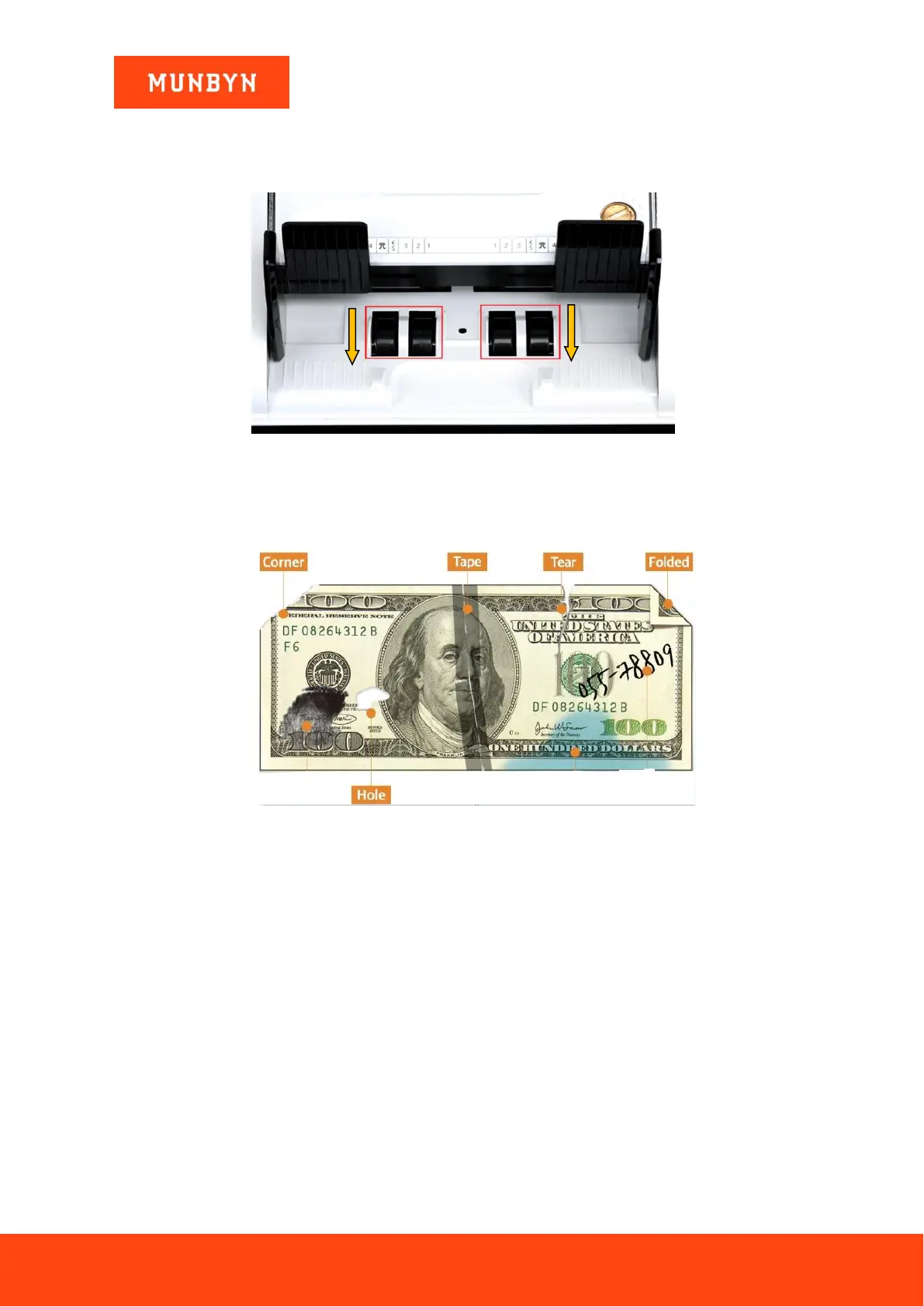
If the bills are stuck inside the machine, please turn off the machine and rotate the banknote processing wheel by
the direction of the following figure to take the jammed bills.
Figure 3-1 The Direction of Wheel Rotation to Take the Jammed Bill
There are several conditions to make the bill jam happened.
1) The bill size is out of the range according to IMC01 specification.
2) The banknote is damaged with different ways such as lack of corner, tape, hole, tear and folded. As shown
in Figure 3-2, it is not recommended to count this kind of bills.
Figure 3-2 Bill Damaged Ways
3) The banknote entrance is so small that the banknote cannot pass through it smoothly. In this case, you need
to fine tune the screw by rotating it clockwise according to section 4.1.
4) Other abnormal operation or there is unknown thing inside the IMC01.If something inside the IMC01, you
need to open the back cover to check, and clean the internal sensors.
3.3. Sensor Errors
The IMC01 banknote counter will take a few seconds to conduct a self-check with spinning the counting wheels
after power on. The IMC01 will check the sensors, the following errors may happen if the sensors have been
blocked or damaged.
3.3.1. Hopper Sensor Error
If the wheels in the hopper is always spinning, and then stop with the “hopper sensor error” or “main motor
error” indicated on the screen, that means the hopper sensor is too sensitive.



 To Next Page