Page13of18
IMC01 Maintenance Manual
Version 1.03
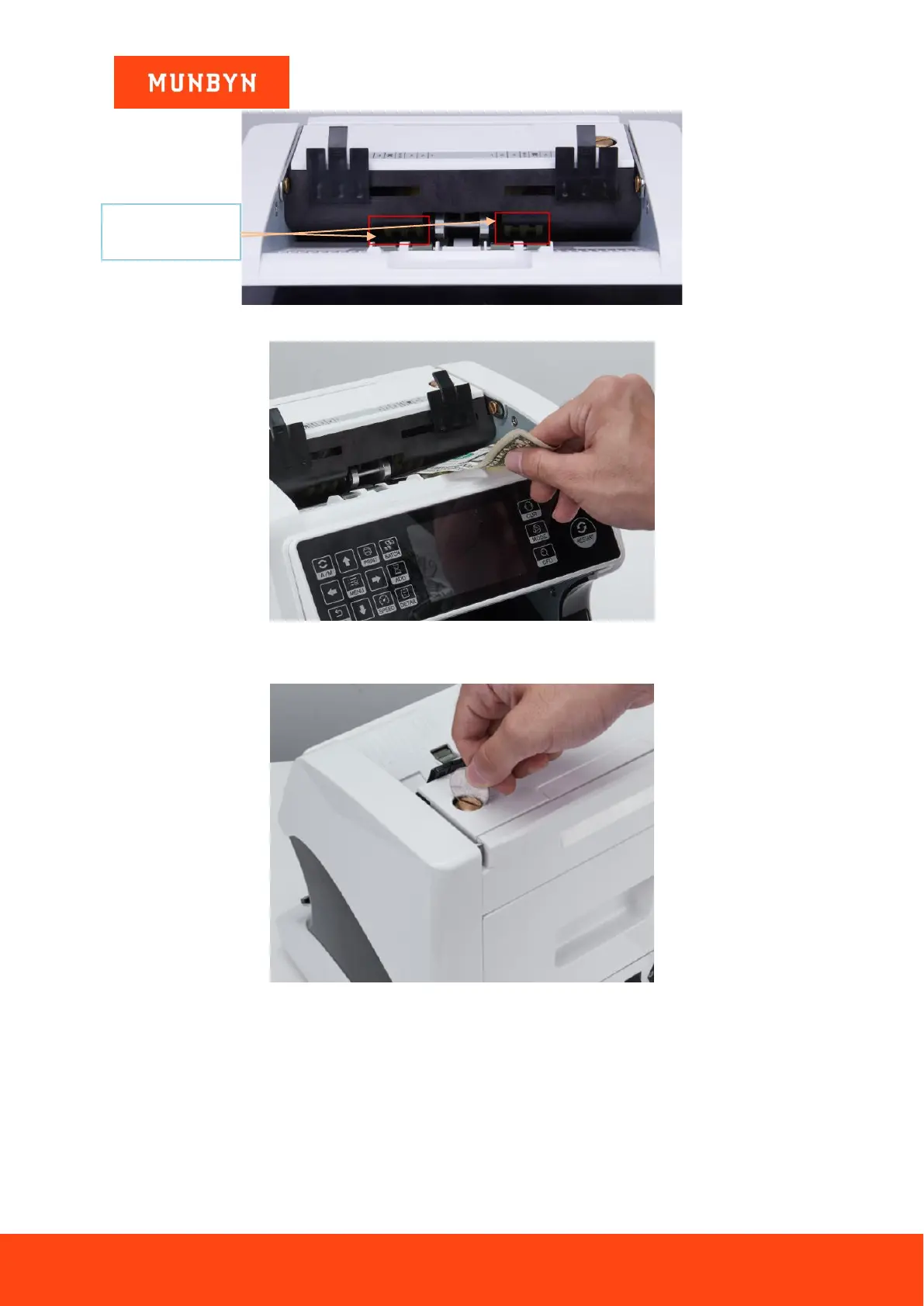
Figure 4-4 Banknote Entrance
Figure 4-5 One banknote to Check the Gap between the Rollers
Moving the banknote between the gap, and rotate the screw, and then check the other gap.
Figure 4-6 One Coin to Rotate the Screw
Tips: you can just use one coin to rotate the screw.
4.2. CIS Calibration
CIS calibration is needed when there are many errors during the banknote counting process.
1) Please enter the menu interface. And go to the service menu with the password “9999”, as shown in the
following figures.



 To Next Page